- New row in
users→ welcome email - New row in
orders→ receipt email - New row in
feedback→ follow-up email
Who this guide is for
- Designers who ship and don’t want to become email infrastructure experts
- Figma Make builders who want notifications without leaving the AI-assisted workflow
- Teams using Figma Make + Supabase who want polished, on-brand transactional emails
The email infrastructure trap
Building email into your app sounds simple until you’re three hours deep configuring SMTP settings. Here’s what you’d need to handle yourself:- Preview with real data — How do you see what the email looks like with actual user info before sending?
- Delivery tracking — Who opened it? Who clicked? Who bounced?
- Bounce handling — What happens when an email address doesn’t exist?
- DNS records — Are you setting up DKIM and SPF for deliverability?
- Retry logic — What happens when your email provider has an outage?
- Scheduled sends — What about drip sequences or digests?
- Unified dashboard — How do you see all your workflows performing in one place?
- Copy iteration — How do you tweak email wording without redeploying?
Prerequisites
- A Figma Make app connected to Supabase or Postgres (Neon, Railway, Aurora, etc.)
- 5 minutes
Not sure which database to use? We recommend Supabase. It connects to Dreamlit in two clicks via OAuth, and you get auth, realtime subscriptions, and a generous free tier.
Connect Dreamlit to your database
- Supabase (recommended)
- Postgres (Neon/Railway/Aurora/etc.)
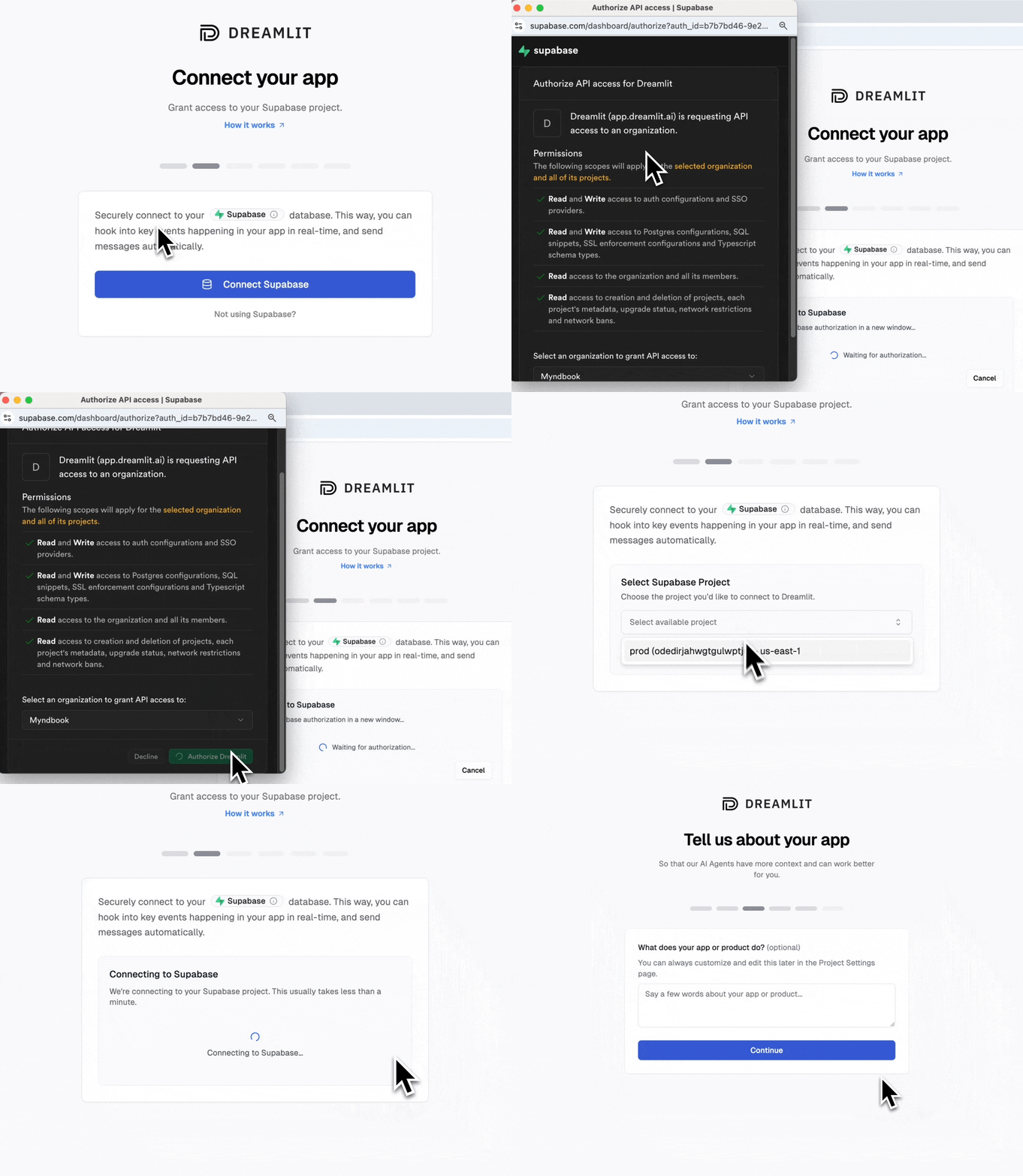
Connecting Supabase is two clicks:That’s it. 2 clicks and you’re connected. Dreamlit can now watch your Supabase database and trigger workflows.
Create a Dreamlit account
Go to app.dreamlit.ai and sign up.
Example: Welcome email workflow
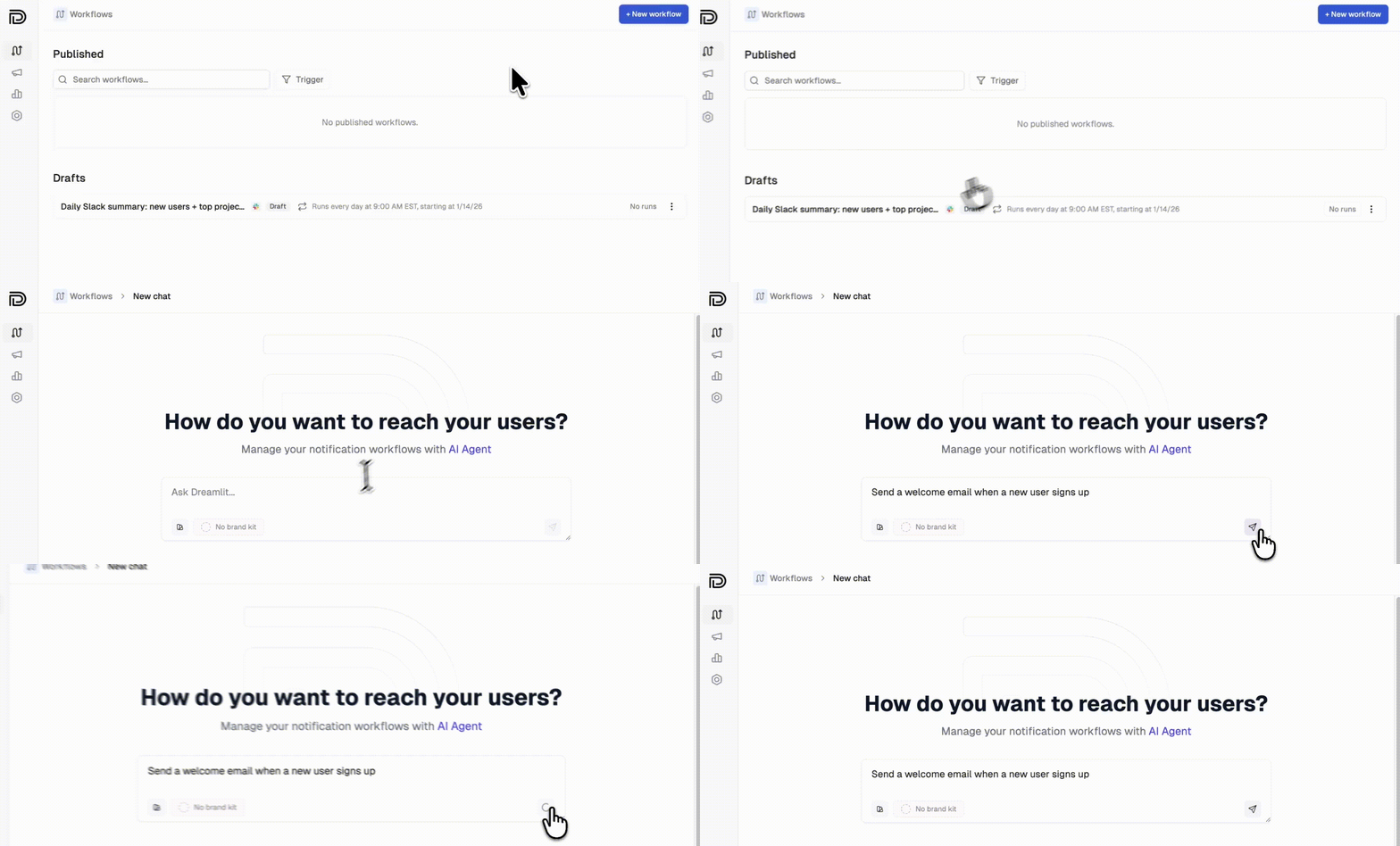
Let’s create a welcome email that sends when someone signs up.Step 1: Create the workflow in Dreamlit
Click Create Workflow and describe what you want:“Send a welcome email when a new user signs up”The AI generates everything: the database trigger, email template, and copy.

Step 2: Verify your Figma Make app writes the data
Here’s the key insight: Dreamlit watches your database, not your code. When a new row appears in yourusers table, Dreamlit sends the email automatically.
If you’re using Supabase Auth, users are automatically added to the
auth.users table when they sign up. No extra table needed.| Table | Fields | Triggers |
|---|---|---|
users | email, name, created_at | Welcome emails, onboarding sequences |
orders | user_id, total, items, created_at | Order confirmations, receipts |
feedback | user_id, message, created_at | Thank you emails, internal alerts |
invitations | email, invited_by, created_at | Invite emails |
Step 3: Preview and publish
Preview your email with real data from your database, then click Publish.Design considerations for Figma Make + Dreamlit
Since Figma Make generates your app’s UI, you might be thinking about visual consistency. Here’s how Dreamlit fits in.Email templates are separate from your app
Dreamlit generates email templates independently of your Figma Make app. This is intentional: email design has different constraints than web UI (client compatibility, dark mode, mobile rendering). To match your brand:- Set up a Brand Kit in Dreamlit with your colors, logo, and fonts
- When creating workflows, mention your style: “Send a welcome email with a minimal, modern design”
- Edit the generated template directly in Dreamlit’s visual editor
Your app doesn’t need to know about email
This is the core benefit. Your Figma Make app writes data to the database. That’s it. Dreamlit watches for those writes and handles notifications separately. No API calls from your app. No email provider SDKs. No secrets to manage.More workflow ideas
Looking for inspiration? Check out our use cases for example prompts across welcome emails, order confirmations, reminders, internal alerts, and more.Send from your own domain
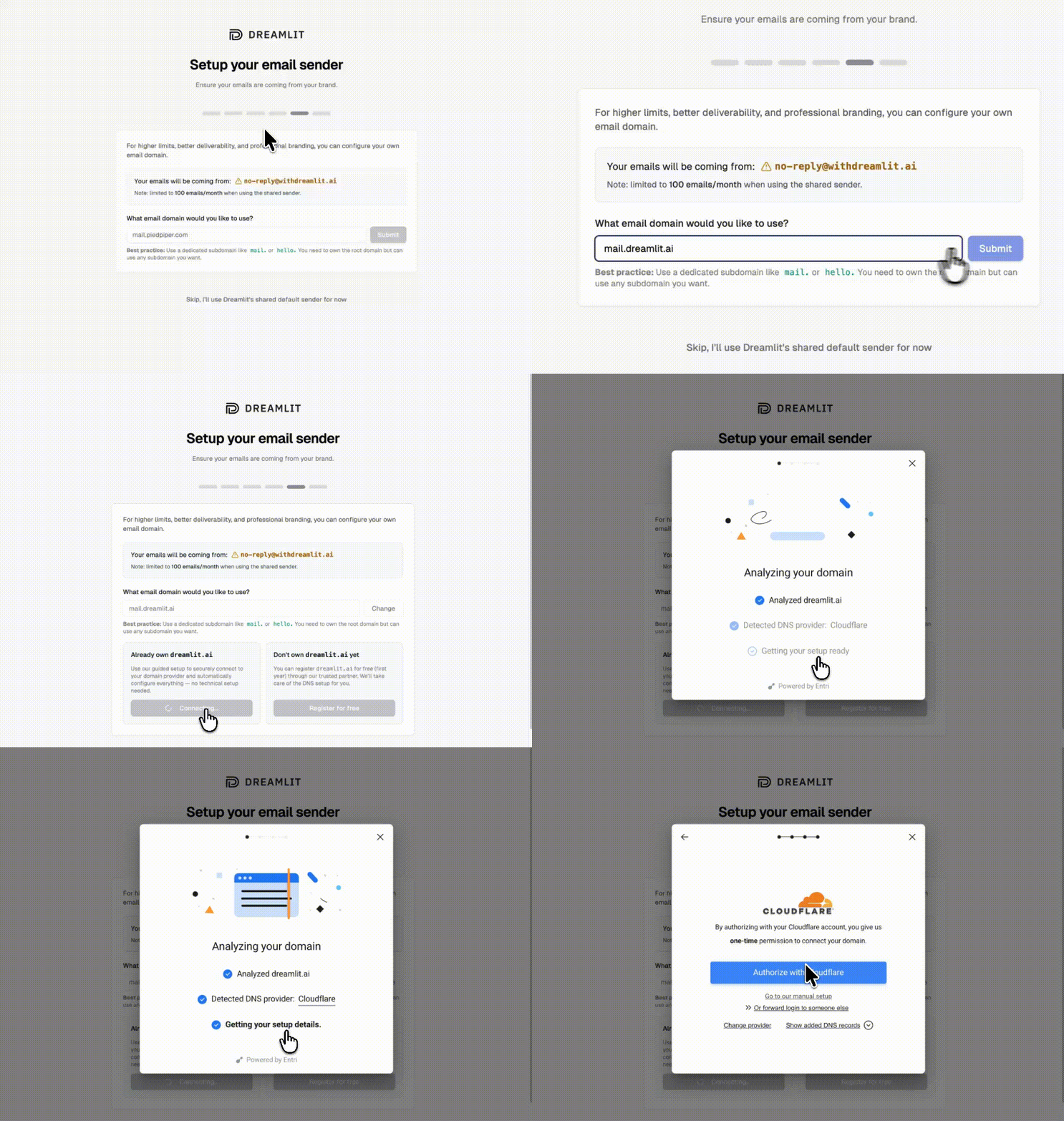
By default, emails send from Dreamlit’s domain. To send from your own domain (like[email protected]), set up a custom email domain.
Add your domain
Go to Settings → Email Domains and click Add domain. Enter your domain (we recommend a subdomain like
mail.yourapp.com).Verify automatically
Dreamlit can automatically configure your DNS records. Click Verify with your DNS provider, sign in, and authorize the changes.

FAQ
How do I know what tables my Figma Make app created?
Check your database directly. If you’re using Supabase, go to Table Editor in the Supabase dashboard. You’ll see all tables your app uses. Dreamlit also shows you available tables when you create a workflow.
Do I need to modify my Figma Make app?
Usually no. Dreamlit watches your database for changes, so if your app already writes the data you need, you’re set. If you need to track something new (like form submissions), you’ll need to add that table or field to your app.
Why aren't my emails sending?
A few things to check:
- Is your workflow published? Saved workflows don’t run until you click Publish.
- Is the trigger table correct? Verify it matches the actual table name in your database.
- Is data being written? Check your database to confirm rows are created when users take actions.
- Try the preview. Use the preview to test with sample data.
Can I use this for password resets and auth emails?
Yes, if you’re using Supabase Auth. Check out our Supabase Auth Emails guide for one-click setup.
Will my emails keep working after I update my Figma design?
Yes. Dreamlit connects to your database, not your Figma Make deployment. Update your design and redeploy as often as you like. Your email workflows keep running.
Can I send Slack notifications too?
Yes. Dreamlit supports Slack alongside email. Describe what you want: “Notify our team on Slack when a new order comes in.” Learn more about Slack →
How do I test without emailing real users?
Use the preview feature to send test emails to yourself with real data from your database. Your workflow won’t email actual users until you publish it.
What if I'm already using Resend or SendGrid?
Dreamlit works alongside traditional email providers. Since we take a fundamentally different approach (database-driven, AI-generated workflows), you don’t need to migrate. Try Dreamlit for your next workflow and keep using your current provider for everything else.