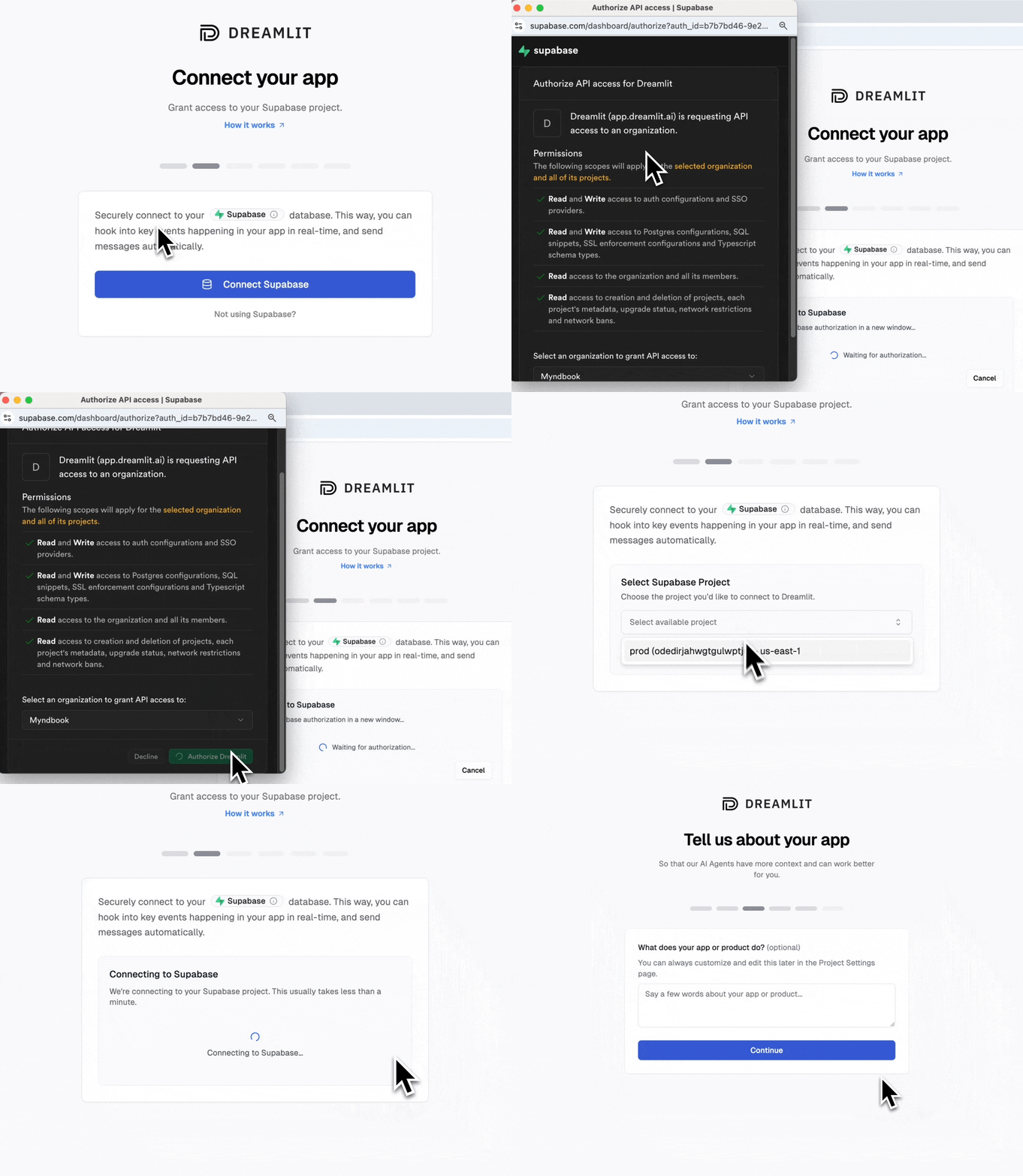
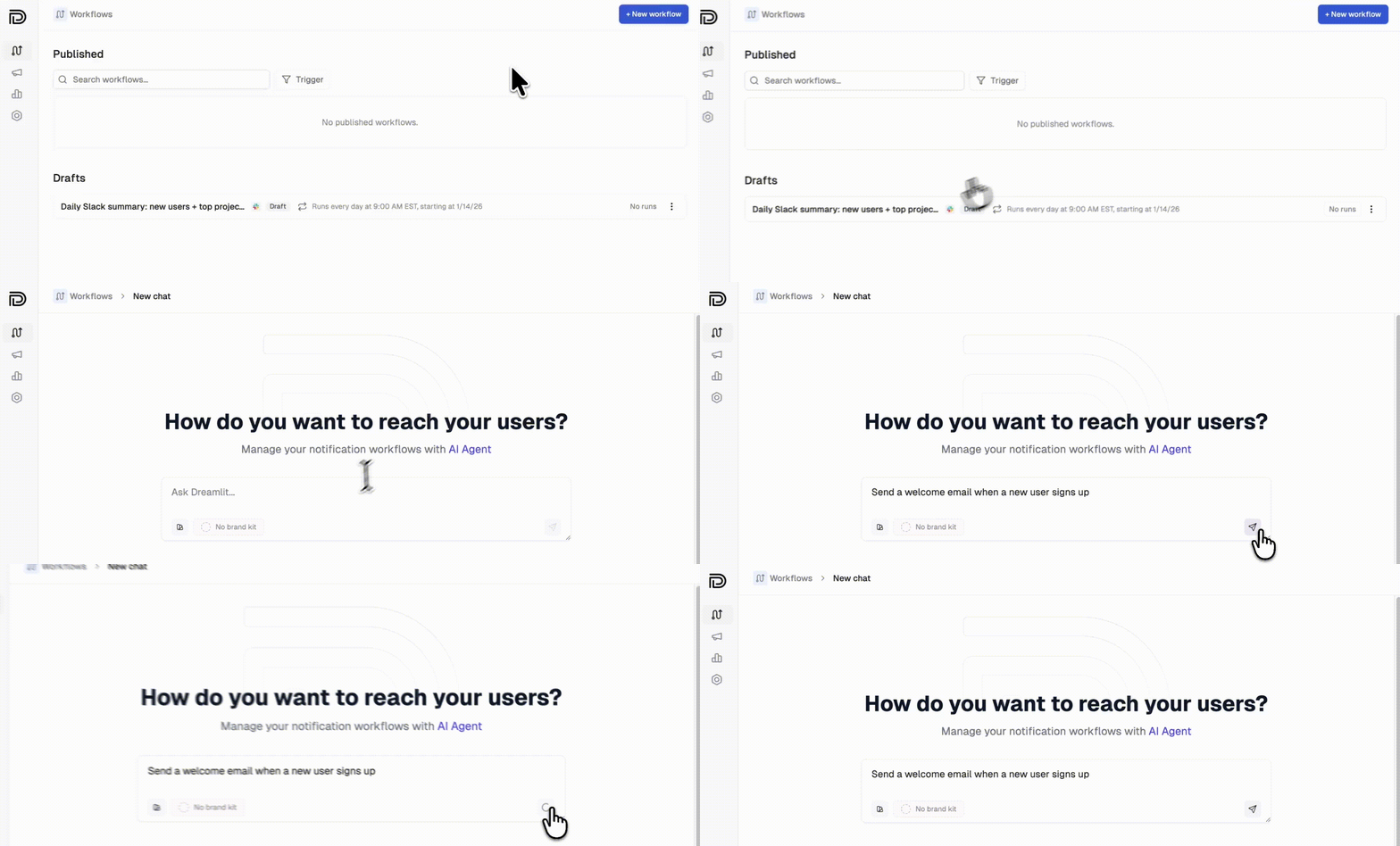
You’re in flow with Cursor. AI writes your code, suggests fixes, keeps you moving. Then you need to add email, and suddenly you’re wiring up SMTP, hand-coding HTML templates, and debugging webhook payloads. Flow broken.Dreamlit brings the same AI-first approach to email. It securely connects to your Postgres database and reacts to data changes directly. Your app writes a row; Dreamlit sends the email. No SDK to install, no API calls to add to your codebase, no deployment changes. It works with any Postgres provider (Supabase, Neon, Railway, Render, RDS, or self-hosted), so it fits whatever stack Cursor helped you build.
The AI generates a starting point, but you can refine it:
Hover to edit: Hover over any text in the email preview and click to edit inline. Change headlines, body copy, or button text directly.
Brand styles: Go to Settings → Brand Styles to define your logo, colors, fonts, and visual style. The AI can apply your brand when generating email designs. Learn more about Brand Styles →
Chat with AI: Ask Dreamlit to make changes: “Make the tone more casual” or “Add a section about our mobile app.”
Dreamlit triggers emails based on database changes. When building with Cursor, focus on getting data into your database. Dreamlit handles the notification logic.Common patterns:
You want…
Write code that…
Welcome emails
Inserts a row into users on signup
Order confirmations
Inserts a row into orders on checkout
Comment notifications
Inserts a row into comments with the author and post
Payment receipts
Inserts or updates a row in payments when payment succeeds
Activity alerts
Logs actions to an activity or events table
You don’t need to write any email code. Just make sure the data lands in your database, and Dreamlit takes it from there.
Pro tip: Ask Cursor to help you add the database write. Try prompting: “When a user completes checkout, insert the order details into an orders table.”
Any workflow that triggers on a database change. Check out our use cases for example prompts across welcome emails, order confirmations, reminders, internal alerts, and more.
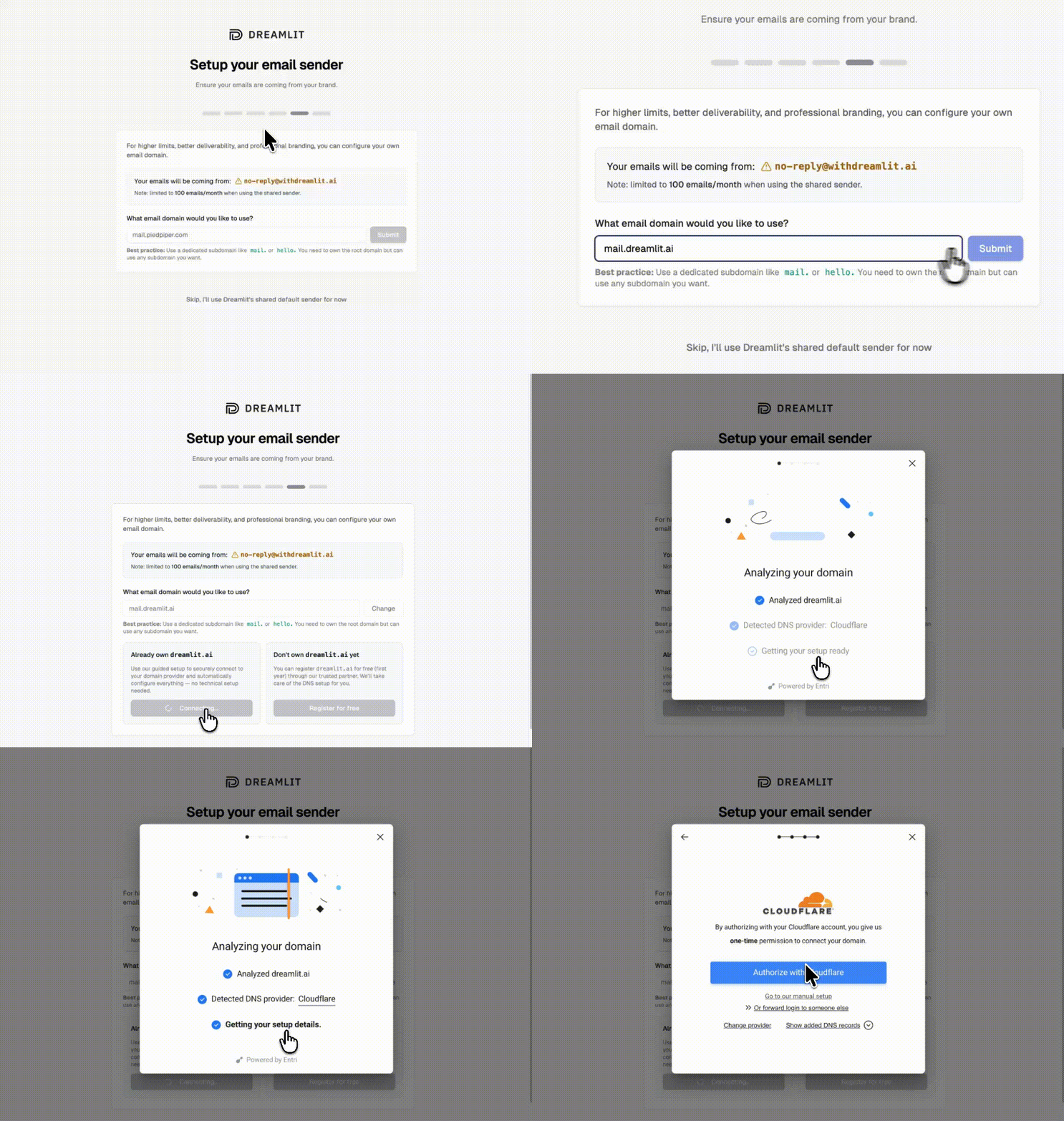
By default, emails send from Dreamlit’s domain. To send from your own domain (like hello@yourapp.com), set up a custom email domain in minutes.
1
Add your domain
Go to Settings → Email Domains and click Add domain. Enter your domain (we recommend a subdomain like mail.yourapp.com).
2
Verify automatically
Dreamlit can automatically configure your DNS records for you. Just click Verify with your DNS provider, sign in to your provider, and authorize the changes.
Automatic DNS setup, no manual records needed
If your DNS provider isn’t supported for automatic setup, you can add the records manually. Dreamlit shows you exactly what to add.
3
Start sending
Once verified, select your domain when creating email workflows. Your emails will now come from your own brand.
Dreamlit is natively built on PostgreSQL-compatible databases: Supabase, Neon, Railway, Render, AWS RDS, Google Cloud SQL, Azure Database for PostgreSQL, CockroachDB, and self-hosted Postgres.
No. Dreamlit connects to your database, not your hosting. Deploy your Cursor-built app anywhere: Vercel, Railway, Render, AWS, or self-hosted. As long as Dreamlit can reach your database, your email workflows will run.
Can I use this with any framework Cursor generates?
Yes. Dreamlit works with Next.js, React, Vue, SvelteKit, Express, FastAPI, Django, Rails, and any other framework that writes to a Postgres database. The framework doesn’t matter. The database does.
No, and that’s the point. Your email workflows live in Dreamlit, separate from your codebase. This means you can iterate on emails without touching code, and non-technical teammates can make changes too.
Yes. Dreamlit supports Slack alongside email. Just describe what you want: “Notify our team on Slack when a new order comes in.” Learn more about Slack →
Use the preview feature to send test emails to yourself with real data from your database. Your workflow won’t email actual users until you publish it.
What if I’m already using Resend, SendGrid, or another email provider?
Dreamlit works alongside traditional email providers. Since Dreamlit takes a fundamentally different approach (database-driven, AI-generated workflows), you don’t need to migrate off your existing setup. Try Dreamlit for your next workflow and keep using your current provider for everything else.