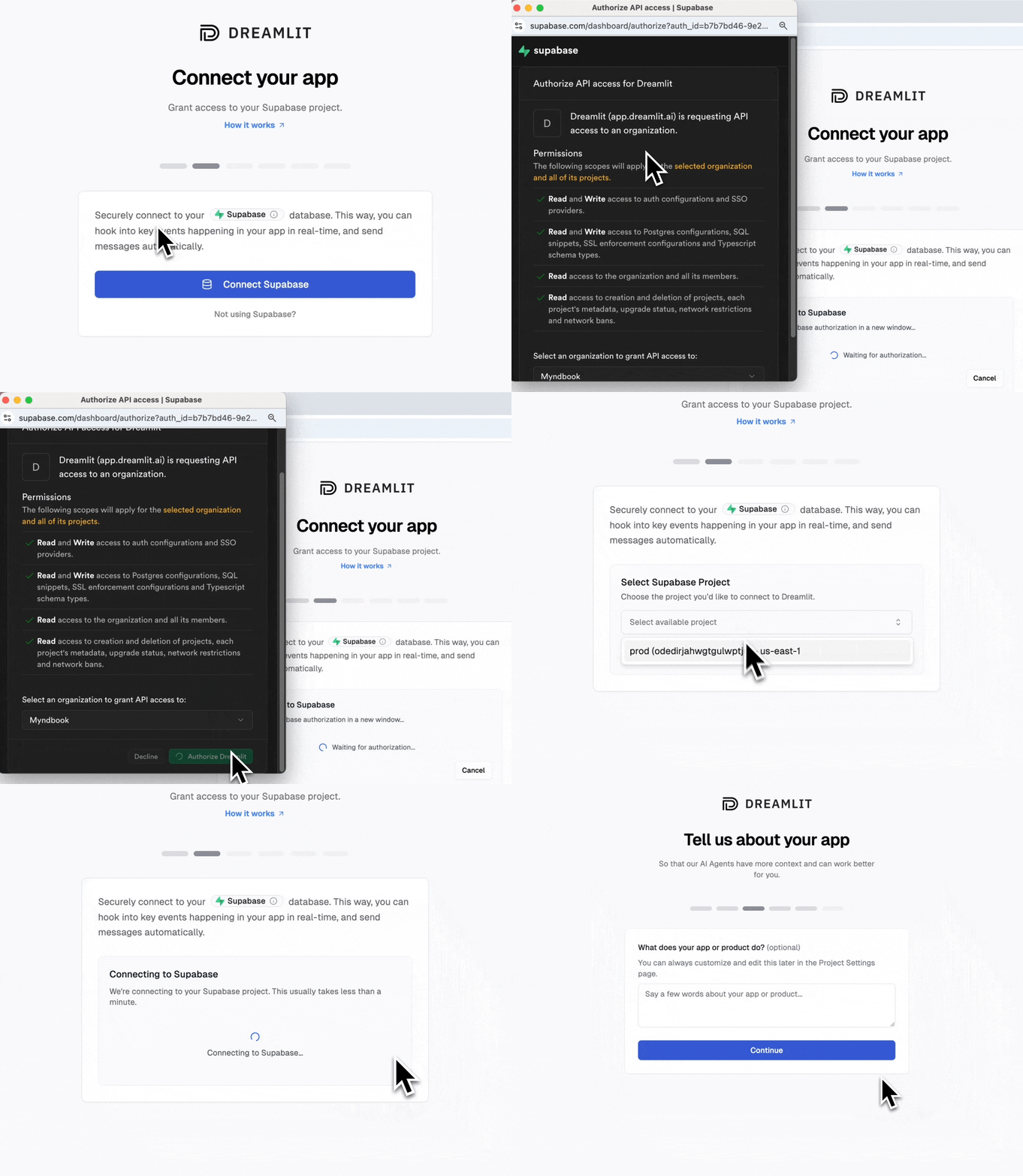
You shipped your Bolt.new app in an afternoon. Notifications shouldn’t take longer than the app itself.Dreamlit securely connects to your Supabase database and reacts to changes in real time. Your app writes data; Dreamlit sends the email.
Payment processed → receipt sent
User invited → invite email
Error logged → team alert
No SMTP configs, no HTML templates, no deliverability settings to manage.
Good news: Supabase was the default database for older Bolt.new projects. Your project likely already has Supabase connected. You can verify by clicking the database icon in your project or going to Project Settings.
Newer Bolt.new projects use “Bolt databases” by default. If you chose Supabase during initial setup, you’re good to go. If not, you can claim your Bolt database to get direct Supabase access.
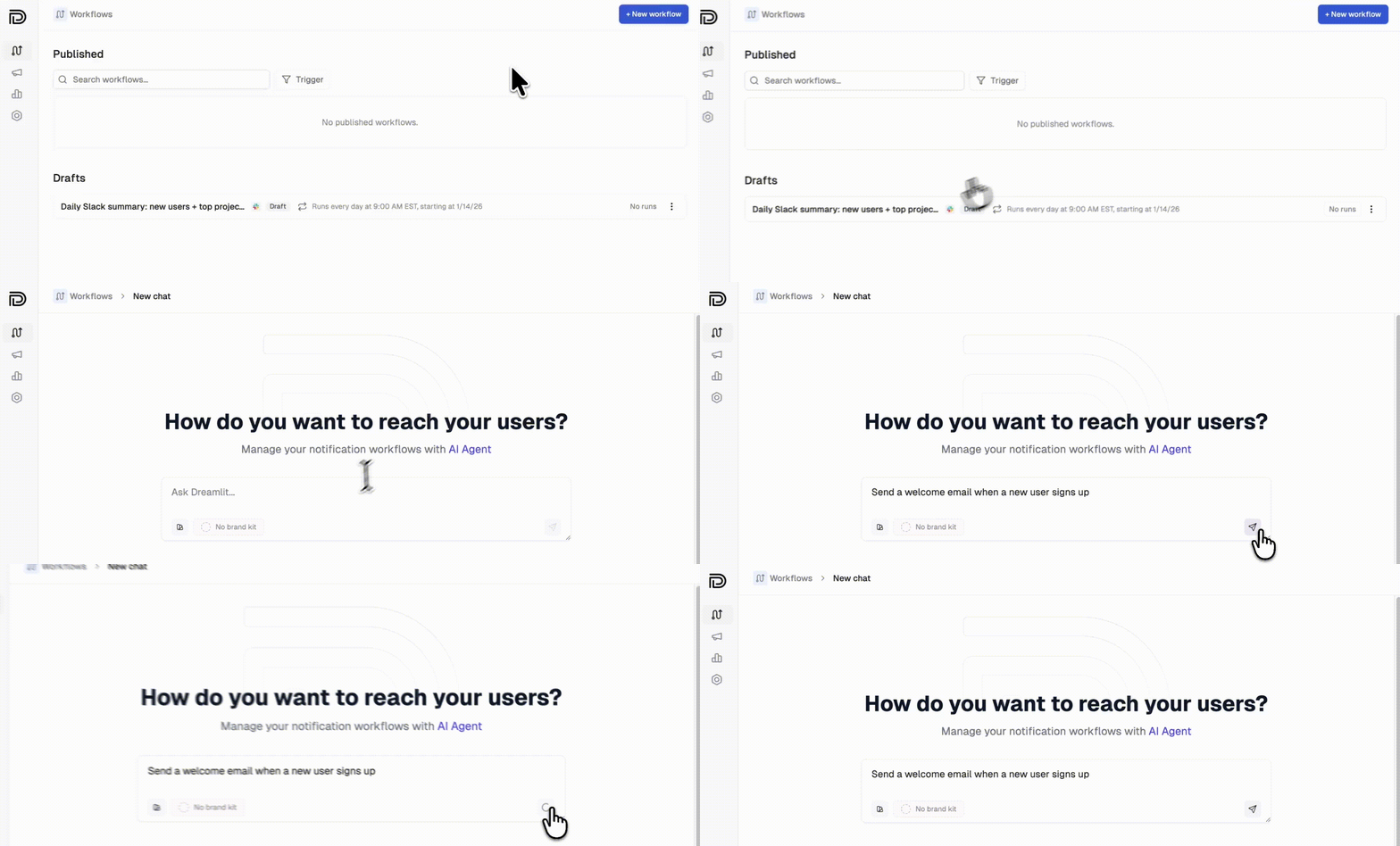
Here’s an example: setting up a welcome email that sends when someone signs up. You can use this pattern for any workflow where you record data in your database.
Here’s the key insight: Dreamlit securely connects to your database and reacts to changes, not your code. When a new row appears in your users or auth.users table, Dreamlit sends the email automatically.
If you’re using Supabase Auth, users are automatically added to the auth.users table when they sign up. No extra table needed.
If your Bolt.new app already creates user records on signup, you’re done. No code changes needed.If you need to add a field or table for Dreamlit to use as a trigger, prompt Bolt:
“When a user signs up, add a row to the user_signups table with their email and name”
Or for something like order confirmations:
“When a user completes checkout, insert a row into the orders table with the order details”
Dreamlit triggers emails based on database changes. When prompting Bolt.new, focus on getting data into your database. Dreamlit handles the rest.Good prompts for Bolt.new:
You want…
Prompt Bolt.new with…
Welcome emails
”Store new signups in a user_signups table”
Order confirmations
”Insert order details into orders when checkout completes”
Comment notifications
”Save comments to a comments table with the post_id and author”
Activity alerts
”Log user actions to an activity table”
You don’t need to prompt Bolt.new about emails at all. Just make sure the data lands in your database, and Dreamlit takes it from there.
Any workflow that triggers on a database change. Check out our use cases for example prompts across welcome emails, order confirmations, reminders, internal alerts, and more.
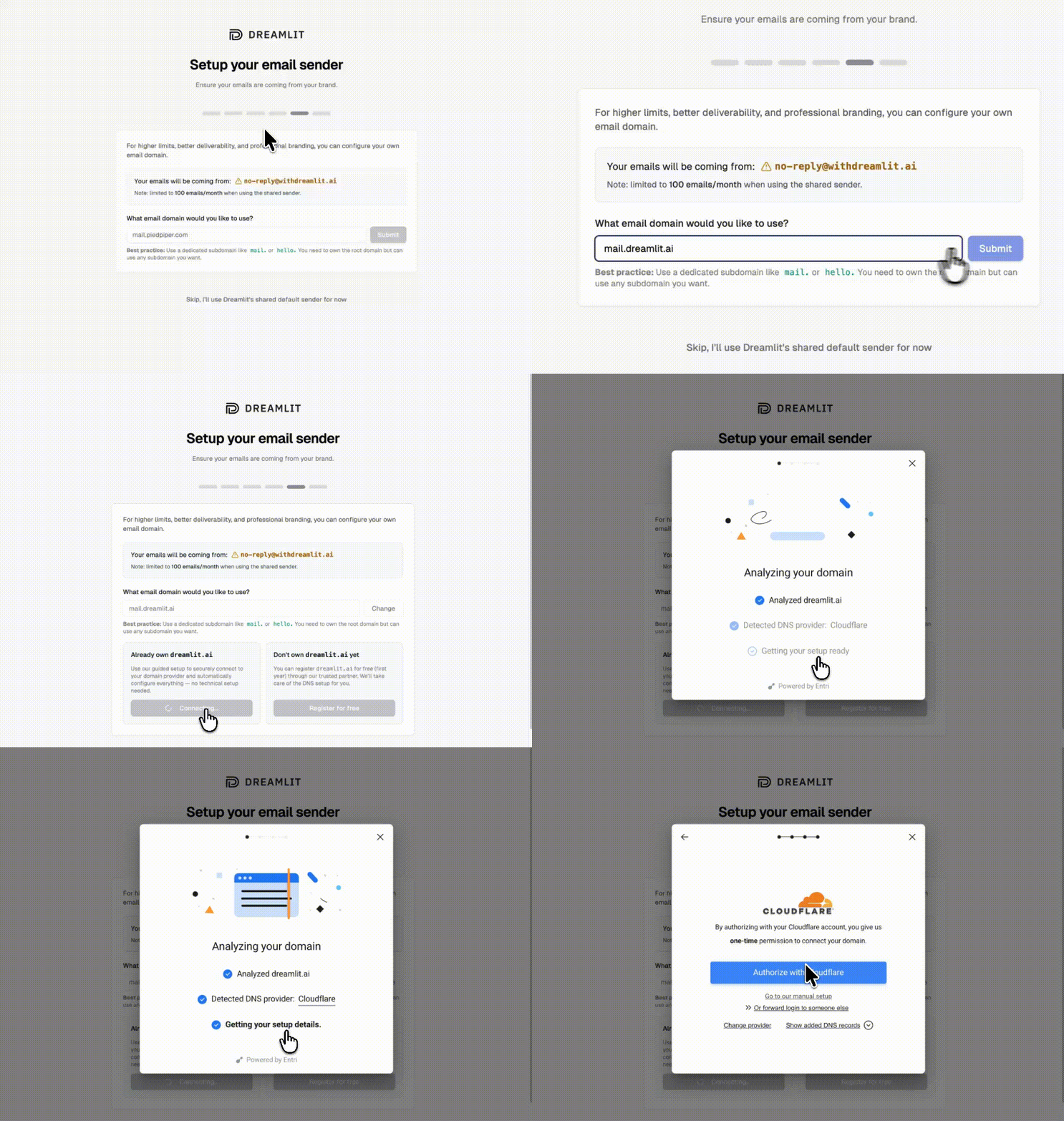
By default, emails send from Dreamlit’s domain. To send from your own domain (like hello@yourapp.com), set up a custom email domain in minutes.
1
Add your domain
Go to Settings → Email Domains and click Add domain. Enter your domain (we recommend a subdomain like mail.yourapp.com).
2
Verify automatically
Dreamlit can automatically configure your DNS records for you. Just click Verify with your DNS provider, sign in to your provider, and authorize the changes.
Automatic DNS setup, no manual records needed
If your DNS provider isn’t supported for automatic setup, you can add the records manually. Dreamlit shows you exactly what to add.
3
Start sending
Once verified, select your domain when creating email workflows. Your emails will now come from your own brand.
Usually no. Dreamlit reacts to database changes, so if your app already writes the data you need, you’re all set. If you need to track something new (like order completions), just prompt Bolt.new to add the database write.
Yes. Dreamlit supports Slack alongside email. Just describe what you want: “Notify our team on Slack when a new order comes in.” Learn more about Slack →
Use the preview feature to send test emails to yourself with real data from your database. Your workflow won’t email actual users until you publish it.
What if I’m already using Resend, SendGrid, or another email provider?
Dreamlit works alongside traditional email providers. Since Dreamlit takes a fundamentally different approach (database-driven, AI-generated workflows), you don’t need to migrate off your existing setup. Try Dreamlit for your next workflow and keep using your current provider for everything else.