

Only relevant if you’re on Supabase and have turned on Dreamlit-managed Supabase Auth emails. If you skipped it during onboarding, head to Settings → Database Connections, open your Supabase connection, and click Setup Supabase Auth.
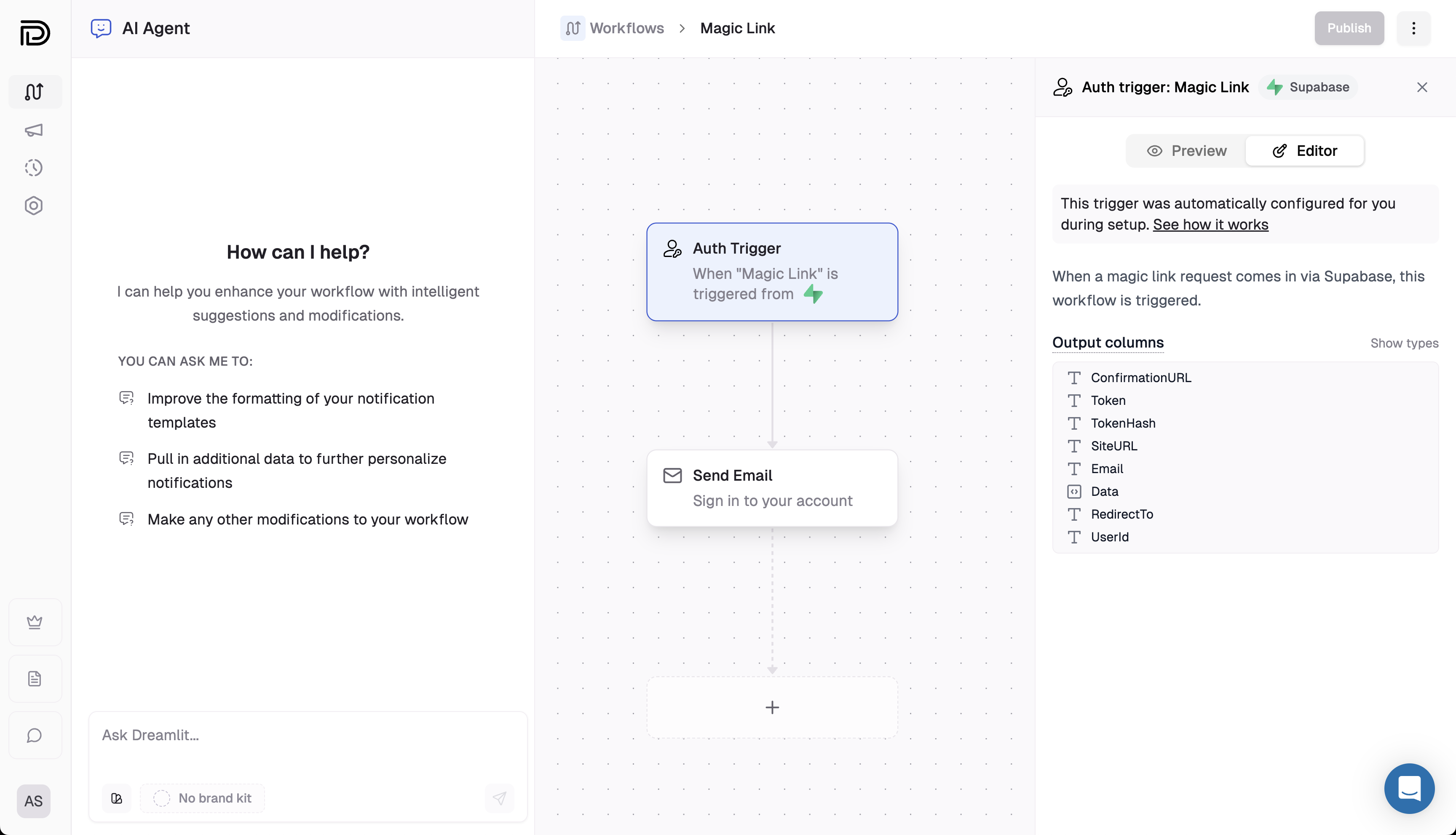
Example: Magic Link auth emails routed through Dreamlit.
Breakdown
Auth workflows fire from Supabase Auth API calls (e.g., sign up, magic link, password reset), not database changes.Know when it fires
Supabase emits an auth event when your app calls its Auth APIs, such as:
supabase.auth.signUp, signInWithOtp, resetPasswordForEmail, reauthenticate, updateUser({ email }), and admin.inviteUserByEmail. The Auth Hook forwards that event to Dreamlit, which kicks off this workflow.Review available outputs
Each run exposes auth-specific fields you can use downstream:
ConfirmationURL, Token, TokenHash, SiteURL, Email, Data, RedirectTo, and UserId. Use ConfirmationURL for a clickable auth link, or Token when your app asks the user to enter a six-digit code.Supabase can provide both Token and link data in the same event. Do not choose the email UI by checking whether Token exists. Choose based on the auth flow your app supports.Configuration is fixed
This trigger is created during Supabase setup. You cannot change its type, delete it, or replace it from the builder—adjust downstream steps (queries, emails, Slack) instead. If you skipped auth setup during onboarding, go to Settings → Database Connections, open your Supabase connection, and click Setup Supabase Auth to install the hook.
Explore further
Supabase setup
Learn how the Auth Hook is installed and how the six auth email types map to workflows.
Send Email step
Customize the auth email content that follows this trigger.