

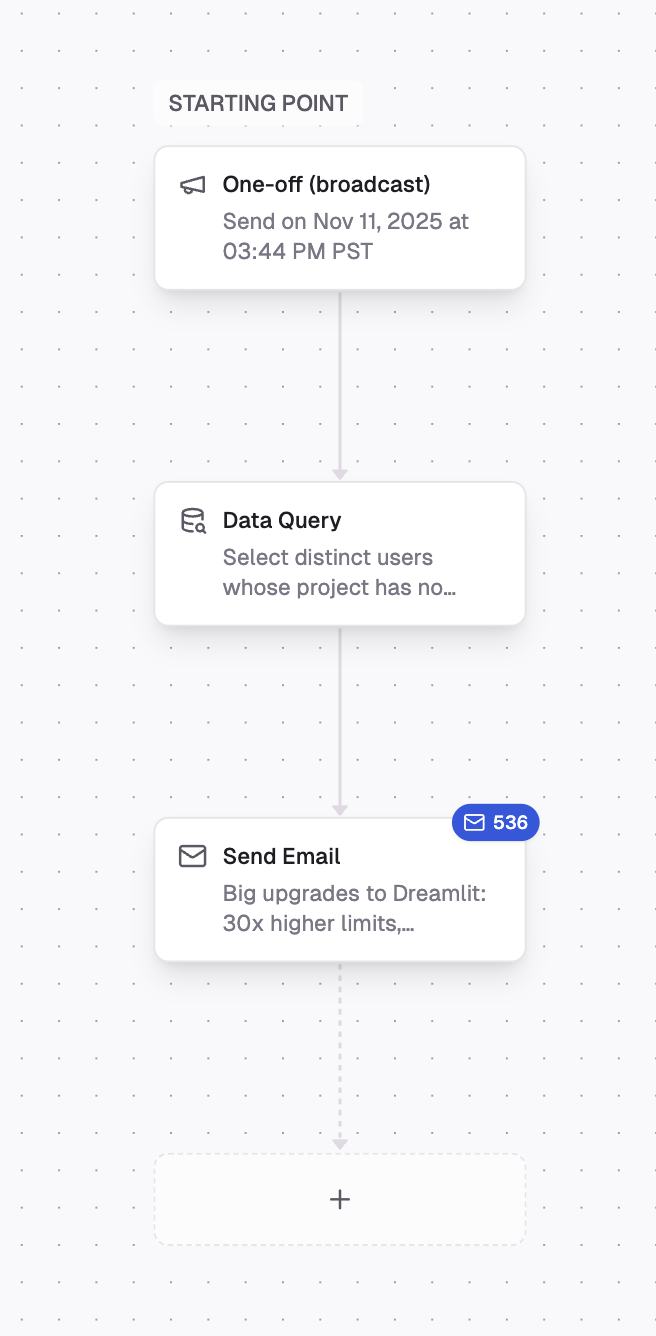
A broadcast workflow announcing a new features to 536 recipients.
Product updates, Newsletter, or Promotions, and recipients can:
- unsubscribe from just that topic
- unsubscribe from all optional email for your project
- manage all topics from a hosted unsubscribe page
{{ dreamlit_unsubscribe_url }} in the body or footer.
For the full model behind topics, unsubscribe-all, and the hosted unsubscribe page, see Managed unsubscribe.
What broadcasts are for
Broadcasts are ideal for:- Product announcements: Let users know about new features or updates.
- Promotions: Send limited-time offers or discounts.
- Company news: Share milestones, events, or important updates.
- Re-engagement: Reach out to inactive users with a compelling message.
Building a broadcast
- Go to the Broadcasts section in the sidebar.
- Start a conversation with the AI by describing what you want to send. For example:
- “Send an email to all my free tier users with a promo code”
- “Announce our Product Hunt launch to all users”
- “Send a holiday discount to customers who made a purchase this year”
Allow unsubscribe
When you add or edit a Send Email step in a broadcast, Dreamlit turns on Allow unsubscribe by default. This is the right choice for most announcements, newsletters, launches, promos, re-engagement campaigns, and product updates. Turn it off only when the message is operational and recipients shouldn’t be able to opt out.Understanding the recipient count
When you build a broadcast, you’ll see a badge showing the estimated number of recipients. This count is a best estimate based on the current state of your database.The recipient count may change between when you schedule the broadcast and when it sends. New users may match your query, or existing users may no longer qualify. The final count is determined at send time.
Scheduling a broadcast
Before sending, you’ll set a date and time for your broadcast. Use the date picker to choose a day (up to a year out) and specify the exact time. When the scheduled time arrives, Dreamlit runs your query and sends the emails. You can monitor progress in the Activity Log. Dreamlit also checks unsubscribe preferences at send time. If someone already opted out of the selected topic (or all optional email for your project), that recipient is skipped automatically.Need to make changes? You can cancel a scheduled broadcast anytime before the send time.
Explore further
Managed unsubscribe
Understand how broadcasts use topics and hosted unsubscribe handling.
Send Email
Learn how to compose and personalize your broadcast emails.
Data Query
Write queries to target the right audience for your broadcast.