Brevo Review 2026: What You Get on Free vs Paid
An honest look at Brevo (formerly Sendinblue): its free plan, paid Starter and Standard tiers, the email-volume billing model, and where it falls short.

Andrew Kim
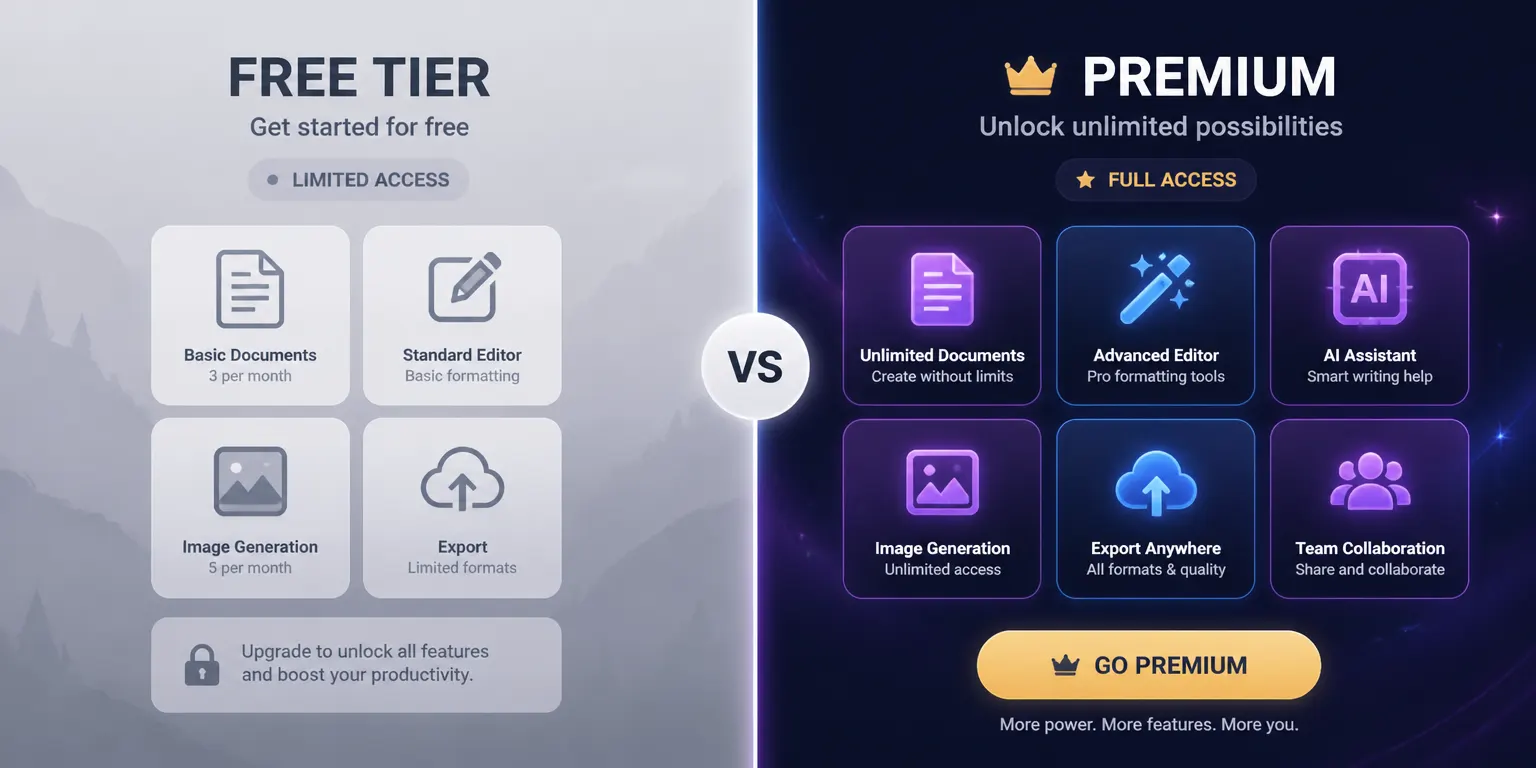
Brevo gets recommended a lot as the cheap option, and most of the time that recommendation is right. But "cheap" depends entirely on how you send, and the free plan has a couple of limits that people only discover after they have imported their list and built a campaign. This review walks through what you actually get on the free tier, what changes when you pay, the CRM and automation alongside the email, the deliverability picture, and the spots where Brevo annoys people enough to leave.
I have set up Brevo accounts for a couple of small businesses, so a lot of what follows comes from poking at the product rather than reading the marketing page. The short version: it is a capable all-in-one with a pricing model that quietly rewards some teams and punishes others. Work out which one you are before you import your list.
A quick note on the name first. If you remember a tool called Sendinblue, that is Brevo. The company rebranded on May 4, 2023. Same product, same accounts, new logo. Older tutorials that say Sendinblue still mostly hold up, though the interface has moved around since then. The rebrand also came with a wider product, with more CRM and sales features bolted on around the original email core, which is part of why the app feels a little sprawling today.
Quick comparison: free vs paid Brevo
Here is the short version before the detail. Prices below are current as of 2026 and change often; confirm on Brevo's own pricing page.
| Feature | Free | Starter | Standard | Professional |
|---|---|---|---|---|
| Monthly price | $0 | from ~$9 | from ~$18 | from ~$499 |
| Email volume | 300/day cap | starts at 5K/month | 5K to 500K/month | 150K to 10M/month |
| Contact storage | very large (up to ~100K) | tier-based caps | tier-based caps | up to ~2M |
| Brevo logo on emails | Yes, fixed | removable add-on (~$9/mo) | removed | removed |
| Marketing automation | basic | limited | unlimited | unlimited |
| A/B testing | No | No | Yes | Yes |
| Landing page editor | No | No | Yes | Yes |
| Transactional email | Yes | Yes | Yes | Yes |
| Phone support | No | No | No | Yes |
| SMS / WhatsApp | SMS credits; WhatsApp plan-limited | SMS credits; WhatsApp plan-limited | SMS credits; WhatsApp plan-limited | SMS + WhatsApp |
Brevo plan price by tier


| Item | Value |
|---|---|
| Starter | $9 |
| Business | $18 |
The one number that surprises people: contact storage is huge on the free plan, but you can only send 300 emails a day. On paid plans Brevo still prices primarily around sending volume, but stored-contact caps now matter too. Hold both numbers in your head, because they decide whether Brevo is actually cheap for you.
How Brevo's pricing model actually works
Most email platforms charge by how many contacts you keep. Mailchimp is the classic example: your bill climbs as your list grows, whether you email those people or not. Brevo mostly flips that. The free plan can hold a very large list, and paid plans are driven primarily by monthly send volume, but Starter and Standard now pair those send tiers with contact-storage limits. See also Constant Contact review.
This is great in one situation and bad in another.
If you have a large list that you email now and then, say a monthly newsletter to 40,000 people, Brevo can still be one of the cheaper tools you can pick, provided your list fits the tier's contact cap. You pay mainly for the sends, and the sends are infrequent.
If you have a small list that you email constantly, the math turns against you. Daily emails to 2,000 subscribers can blow past the volume tiers fast, and on the free plan the 300-per-day cap stops you outright. So the same model that makes Brevo a bargain for one team makes it middling for another. Worth doing the arithmetic on your own send pattern before you commit.
Here is a quick way to think about it. Take your list size, multiply by how many emails each contact receives in a month, and that is roughly your monthly volume. A 30,000-contact list that gets one newsletter a month is 30,000 sends. A 3,000-contact list that gets three emails a week is closer to 36,000 sends, almost the same monthly email volume despite being a tenth of the audience. Send frequency is still the main lever, but contact count is no longer irrelevant on paid tiers; check the contact cap attached to the email tier you choose.
Brevo Business cost by send volume
- Business $/mo
| Item | Value |
|---|---|
| 5,000 | $18 |
| 1,000,000 | $669 |
There is a second wrinkle. Because billing is volume-based, every careless resend has a direct line to your bill, where a per-contact tool lets you mail your list as hard as you like for a flat rate. That tends to make Brevo users a bit more disciplined about who they email, which is no bad thing.
For a wider view of how this model stacks up against the per-contact crowd, the Mailchimp vs Brevo breakdown goes deep on exactly this trade-off, and the best email marketing for small business roundup puts Brevo next to the cheaper per-contact options so you can see where the lines cross.
The free plan: what you really get
Brevo's free plan is one of the more usable free tiers in email. No credit card, no trial countdown. You get:
- 300 emails per day (around 9,000 a month if you send daily)
- A large contact allowance, advertised up to roughly 100,000
- The email designer, basic templates, and signup forms
- Transactional email and basic automation
- SMS if you buy credits; WhatsApp availability depends on plan
That contact number is the part people underestimate. Tools like Mailchimp or MailerLite cap free contacts at a few hundred to a couple thousand. Brevo lets you store a serious list for nothing, which is a real advantage if you are early and building an audience but not sending much yet.
Now the two catches.
First, the 300-a-day cap is a hard wall. It is not a soft monthly pool you can spend in a single big campaign. If you want to email 1,000 people on launch day, the free plan splits that across days or just refuses. For broadcasts, this is the limit that pushes people to pay.
Second, every free email carries a "Sent with Brevo" sticker. You cannot remove it on the free plan at all, and even on the entry paid tier it costs extra. For a hobby project that is fine. For anything customer-facing, it looks unfinished.
There is also a quieter limit on the free plan that does not show up on the comparison table: automation is capped at a small number of contacts (Brevo limits the automation engine to around 2,000 contacts on the lower tiers). So the welcome sequence you build will run for the first slice of your list and then stop enrolling people once you cross that line. For an early project you may never hit it. For anything growing, it is the kind of ceiling you discover when a new signup quietly does not get the welcome email.
If the free daily cap is your main blocker, it is worth comparing against other free tiers before paying. The best Brevo alternatives roundup covers tools with more generous broadcast limits. See also MailerLite review.
Where the free-to-paid line really sits
The official table makes free look like a slightly smaller Starter. In practice the gaps that push people to pay are specific:
- The 300-a-day cap blocks any single broadcast over 300 recipients
- The Brevo logo is fixed on free and cannot be removed at any price on that tier
- Automation enrolment is limited, so flows stop working past a few thousand contacts
- Reporting is basic, with no heatmaps or detailed engagement breakdowns
- Send-time scheduling and some deliverability tools are reserved for paid
None of these matter for a side project, and all of them start to matter the moment email becomes how you actually reach customers. The free plan is a generous place to learn the tool and store a list, not a place to run a real sending program for long.
Starter plan: lifting the cap
The Starter plan is where most small senders land. It starts around $9/month for 5,000 emails and climbs to about $69/month for 100,000 emails, with tiers in between. The daily cap goes away and you are billed on a monthly email allowance.
What you get over free:
- No daily sending limit
- More email volume
- Basic reporting
- The option to remove the Brevo logo, as a paid add-on (currently listed at $9/month)
That add-on detail catches people out. On Starter the logo is not included; you pay for it on top, so the real cost of a clean, branded Starter setup runs noticeably higher than the $9 entry price. The listed price is not the price you pay if you care about branding.
Starter still leaves out the heavier marketing features. Automation is limited rather than unlimited, there is no A/B testing, and no landing page editor. It is fine for straightforward campaigns and a welcome sequence, but if your automation needs are growing, you will feel the ceiling.
Standard and Professional: automation and support
The Standard plan starts around $18/month for 5,000 emails and scales by email volume, with Brevo's help docs listing Standard tiers up to 500,000 monthly sends. This is the tier where Brevo stops being just a cheap sender and becomes a fuller platform.
Standard adds:
- Unlimited marketing automation
- A/B testing
- The landing page editor
- Advanced reporting
- Facebook ads integration
- The Brevo logo removed by default
Phone support is now listed on Professional, which starts around $499/month and targets high-volume teams. On free, Starter, and Standard, support is email and help-center based, and the response speed is a common complaint. If phone support matters to you, the real floor is much higher than the $18 Standard headline. Above Professional sits Enterprise with custom pricing, SSO, a dedicated manager, and higher sending, which most readers of this review will not need.
The CRM and the all-in-one angle
One reason Brevo keeps showing up in shortlists is that it bundles things most email tools sell separately. You get a built-in CRM, marketing email, transactional email, SMS, WhatsApp, and even a basic chat widget under one login. For a small business that does not want to wire five tools together, that consolidation has real value.
The CRM is not going to displace HubSpot or Salesforce. It is a lightweight pipeline and contact manager, fine for a small sales team that mostly lives in email anyway. You get deals, pipeline stages, task reminders, and a shared inbox, plus a meetings booking page on the higher plans. The moment you want custom objects, deep reporting, or real sales forecasting, you will feel its limits. If a proper CRM is a hard requirement, the HubSpot review covers a tool built around the sales pipeline first and email second. Brevo's CRM is useful because it sits right next to your sending list, so a deal stage can trigger an email, and you are not paying a second subscription for it.
The marketing automation builder
Automation is where Brevo wants to be taken seriously, and it is genuinely capable. The visual builder works on a trigger, condition, action model: someone opens an email, joins a list, hits a page, or matches a contact attribute, and you branch from there into sends, waits, tags, or CRM updates. Common flows like a welcome series, an abandoned-form nudge, or a re-engagement sequence are all doable without leaving the builder.
The honest caveats are two. First, automation is limited on the lower tiers, while Standard is the current plan that opens up unlimited-contact marketing automation. Second, the builder rewards patience. The node logic is fine once it clicks, but the labelling is inconsistent and a few actions live in menus you would not guess. Compared with a tool like ActiveCampaign, whose whole identity is automation depth, Brevo feels like a strong generalist rather than a specialist. If automation is the main reason you are shopping, the best ActiveCampaign alternatives piece shows where Brevo lands against the heavier builders, and our guide to drip campaigns walks through what a good sequence looks like in the first place.
Combining transactional and marketing email in one account is the part I find most useful. Plenty of teams run a separate transactional service like Postmark or SendGrid alongside their marketing tool. Brevo lets you do both from one place, with one sender reputation to manage. If you want the dedicated-transactional comparison, the Mailjet vs Brevo piece looks at two tools that both try to span marketing and transactional.
Transactional email in practice
Worth a closer look since it is one of Brevo's quieter strengths. Transactional email is what your app sends in response to an action: a receipt, a password reset, a verification code. The recipient is expecting it, and timing and inbox placement matter more than design.
Brevo handles transactional sends over both SMTP relay and a REST API, so a developer can wire it into an app the way they would any sending service. You get a separate transactional dashboard, per-message logs, webhooks for events like delivered and bounced, and template management so the engineering team is not pasting HTML into code. Transactional volume is metered separately from marketing in some plan configurations, so check how your sends are counted before you assume one allowance covers both.
The appeal is that your transactional and marketing email share one sender domain and one reputation, so there is one place to monitor rather than two. The trade-off is that a dedicated specialist like Postmark tends to be faster and more obsessive about inbox placement for this exact job. If transactional is your priority rather than a side benefit, the best transactional email services comparison is the better starting point, with a broader piece on what transactional email is if you are new to the distinction.
Deliverability and the shared-IP question
Deliverability is the part of any email tool you cannot judge from a feature list, and it is where the budget tiers show their seams. On the lower Brevo plans you send from shared IP addresses, so your inbox placement is partly hostage to the sending behaviour of other accounts on the same pool. Most of the time this is fine. Occasionally a neighbour gets flagged and placement dips for everyone sharing that IP.
Dedicated IPs are available on the higher-volume plans, and they only make sense once you are sending enough to keep one warm. A dedicated IP that sends in fits and starts can hurt you, because mailbox providers distrust IPs with irregular patterns. So the honest position for a small sender is that you are on shared infrastructure, and your job is to protect your own reputation: authenticate your domain, keep your list clean, and avoid the spammy patterns that drag a whole shared pool down.
Brevo gives you the tools to do this. Domain authentication is straightforward, the dashboard surfaces bounce and complaint rates, and you can set up a dedicated sending domain. None of that is unique to Brevo, but it is all present. The deliverability fundamentals apply to every provider, and our email deliverability guide covers the setup that keeps you out of spam regardless of which tool you land on.
SMS and WhatsApp
Brevo includes SMS as a pay-as-you-go add-on, but treat it as an add-on rather than a headline feature. You buy message credits up front, and the per-message price depends on the destination country. WhatsApp campaigns and transactional messaging are listed on higher Brevo plans such as Professional and Enterprise. SMS works well enough for transactional alerts (an order shipped, a code to verify) and the occasional promo blast.
What it is not is a dedicated SMS marketing platform, and there is no deep SMS automation builder to rival the specialists. If SMS is a core channel rather than a nice extra, look at a tool built for it. As an occasional companion to your email it does the job, and the pay-as-you-go pricing means you are not paying for credits you do not use.
Where Brevo frustrates people
No review is honest without the gripes, and Brevo has a consistent set.
Support is the loudest one. On free, Starter, and Standard you are limited to email and the help center, and response times can drag, sometimes days. When a campaign is misbehaving and you cannot send, slow support hurts. Phone support only arrives at Professional level.
The UI has rough edges. Brevo has grown by adding modules (CRM, chat, SMS, automation) and the interface shows it. Some settings live in unintuitive places, and the automation builder takes a while to feel natural. It is not unusable, just busy and inconsistent in spots.
The pricing add-ons stack up quietly. Between SMS credits, logo removal, the jump to Standard for automation and A/B testing, and the much larger jump to Professional for phone support, the "cheap" headline can become a moderate monthly bill once you add what you actually need. Always price the configuration you will really run, not the entry tier.
Deliverability on shared infrastructure can wobble on the lower tiers, as covered above. If consistent inbox placement is critical, warm up properly and watch your reputation.
Who Brevo is right for
Brevo fits a fairly specific profile well:
- You have a large or growing contact list you email occasionally, and it fits the plan's contact cap
- You want marketing and transactional email in one account
- You like having a CRM and SMS bundled in rather than bought separately
- You are price-sensitive and your send volume is moderate
It fits less well in a few cases. If you send to a small list every day, the per-email model and free daily cap work against you, and a cheaper per-contact tool may cost less. If you need fast hands-on support without paying for Professional, the email-only support on the lower tiers will frustrate you. If a clean, polished interface is a dealbreaker, the module-by-module sprawl will grate. And if SMS or WhatsApp is a core channel rather than an occasional extra, a dedicated platform serves you better. For the first two of those the Brevo vs MailerLite comparison is worth a read, since MailerLite trades some features for a simpler experience and quicker support.
One narrower case to mention: if you are a SaaS or Supabase team and most of your email logic (welcome flows, password resets, usage nudges) really lives in your database, a general marketing platform like Brevo means rebuilding that logic by hand in its automation builder. A tool like Dreamlit, which builds email workflows directly from your Postgres or Supabase schema, is a closer fit for that specific job. For everyone else, Brevo's all-in-one bundle and per-email pricing make it a reasonable, often cheap, default.
Getting started and migrating in
If Brevo passes the send-pattern test, the on-ramp is gentle. Sign up, confirm your email, and you are on the free plan with no card needed. The first real task is importing contacts from a CSV or a connected source like a form. Brevo asks you to map your columns to its contact attributes, and it pays to do this carefully, because clean attributes are what make the segmentation and automation useful later.
Two setup steps matter more than the rest. First, authenticate your sending domain before you send in volume. The dashboard walks you through the SPF, DKIM, and DMARC records you add at your DNS provider, and getting this right on day one saves a deliverability headache later. Second, if you are coming from another tool, export your unsubscribe and bounce lists alongside your contacts and suppress those in Brevo on import. Carrying a clean suppression list across is the single biggest thing you can do to protect your new sender reputation.
Migrating from Mailchimp or a similar per-contact tool is mostly a copy job for contacts and templates. Automations rarely port cleanly because every tool models flows differently, so plan to rebuild them in Brevo's builder rather than expecting an import. Give yourself a few low-volume test sends to a seed list before you point your full audience at the new setup.
Verdict
Brevo earns its reputation as the budget-friendly all-in-one, with one big asterisk: it is cheap for the right send pattern. Large list, occasional sends, want a CRM and transactional email thrown in? It can be hard to match on price. Small list, daily emails, need quick support? You will hit the free daily cap, then the support wall, then the add-on creep, and the savings shrink.
The free plan is worth starting on because it is generous on storage and honest about its limits. Send a few campaigns, see whether 300 a day and the logo bother you, and upgrade only when they do. That is the cleanest way to find out if Brevo is your tool.
Frequently asked questions
Is Brevo the same as Sendinblue?
Yes. Sendinblue rebranded as Brevo on May 4, 2023. Same company, same product line, new name. The CRM, marketing email, transactional email, and SMS features all carried over. If you find old reviews or tutorials referring to Sendinblue, the workflows still mostly apply, though the UI has changed since.
Is Brevo's free plan actually free forever?
Yes, the free plan has no time limit and needs no credit card. You get 300 emails per day and can store a large number of contacts (Brevo advertises up to around 100,000). The main catches are the daily send cap and the Brevo logo on your emails, which you cannot remove without paying.
How does Brevo charge, by contacts or by emails sent?
Brevo bills primarily by the number of emails you send per month, but current Starter and Standard tiers also include contact-storage caps by email tier. That still makes Brevo attractive if you have a big list you email occasionally, but you need to check both monthly send volume and stored-contact limits before assuming the list itself is free.
How much does Brevo cost per month?
The Starter plan begins at $9/month for 5,000 emails and scales by monthly send volume. Standard starts at $18/month and adds automation, A/B testing, landing pages, advanced reporting, and logo removal; Brevo's help docs list Standard tiers up to 500,000 monthly emails. Professional starts at $499/month for high-volume teams and is where phone support and additional channels such as WhatsApp appear. Removing the Brevo logo on Starter is a separate $9/month add-on.
What is the daily sending limit on Brevo?
The free plan caps you at 300 emails per day, which works out to roughly 9,000 per month if you send every day. Paid plans lift the daily cap and bill on a monthly email allowance instead. If you need to send a large campaign in one go, the free daily limit will block you.
Does Brevo do transactional email too, or only marketing?
Both. Brevo handles marketing campaigns, automation, and transactional email (receipts, password resets, confirmations) from the same account. Transactional sends have their own volume and can be sent over SMTP or API. Having both in one tool is one of Brevo's stronger selling points.
Is Brevo good for SMS?
Brevo includes SMS as a pay-as-you-go add-on across plans. You buy message credits, and the per-message cost depends on the destination country. WhatsApp campaigns and transactional messaging are listed on higher Brevo plans such as Professional and Enterprise. SMS works for transactional alerts and the occasional campaign, but Brevo is not a dedicated SMS platform, so heavy SMS senders may want a specialist.
Who should not use Brevo?
Teams that send daily to a small list, since the per-email model and free daily cap work against you there. Also anyone who needs strong, fast support on a low tier, or a SaaS product whose email logic lives in its database. For that last case, a tool that builds flows directly from your schema fits better. Sources:
- https://www.brevo.com/pricing/
- https://www.emailtooltester.com/en/reviews/brevo/pricing/
- https://help.brevo.com/hc/en-us/articles/208589409-About-Brevo-s-pricing-plans
- https://help.brevo.com/hc/en-us/articles/9168632514066-What-are-the-different-quotas-applied-in-Brevo
- https://help.brevo.com/hc/en-us/articles/4409354969746-Customize-your-plan-with-add-ons
- https://help.brevo.com/hc/en-us/articles/208717449-Supported-countries-and-pricing-for-SMS-messages
- https://www.brevo.com/press/sendinblue-becomes-brevo-reflecting-company-growth-and-platform-evolution/
- https://www.brevo.com/features/sms-marketing/
About the Author
Co-Founder & CTO
Andrew is CTO and Co-Founder of Dreamlit AI. After building integrations at Netflix and leading engineering at fintech startup Bonside, he's now building the notification platform he wished he'd had all along. Full bio →
Other articles
8 Best Brevo Alternatives in 2026 (Compared by Use Case)
Eight Brevo alternatives mapped to the reason you are switching: developer email, ecommerce, CRM, automation depth, newsletters, or lower-cost sending.
Mailchimp vs Brevo (2026): Pricing, Features, and Fit
Choosing the right email marketing tool can make or break your campaigns. In 2026, Mailchimp and Brevo remain top contenders, each with distinct strengths and weaknesses.