How to Create a Newsletter in 2026 (Step by Step)
A practical walkthrough for starting a newsletter from scratch: set a goal, pick a platform, authenticate your sending domain, build your list, design the email, and measure what happens.

Andrew Kim
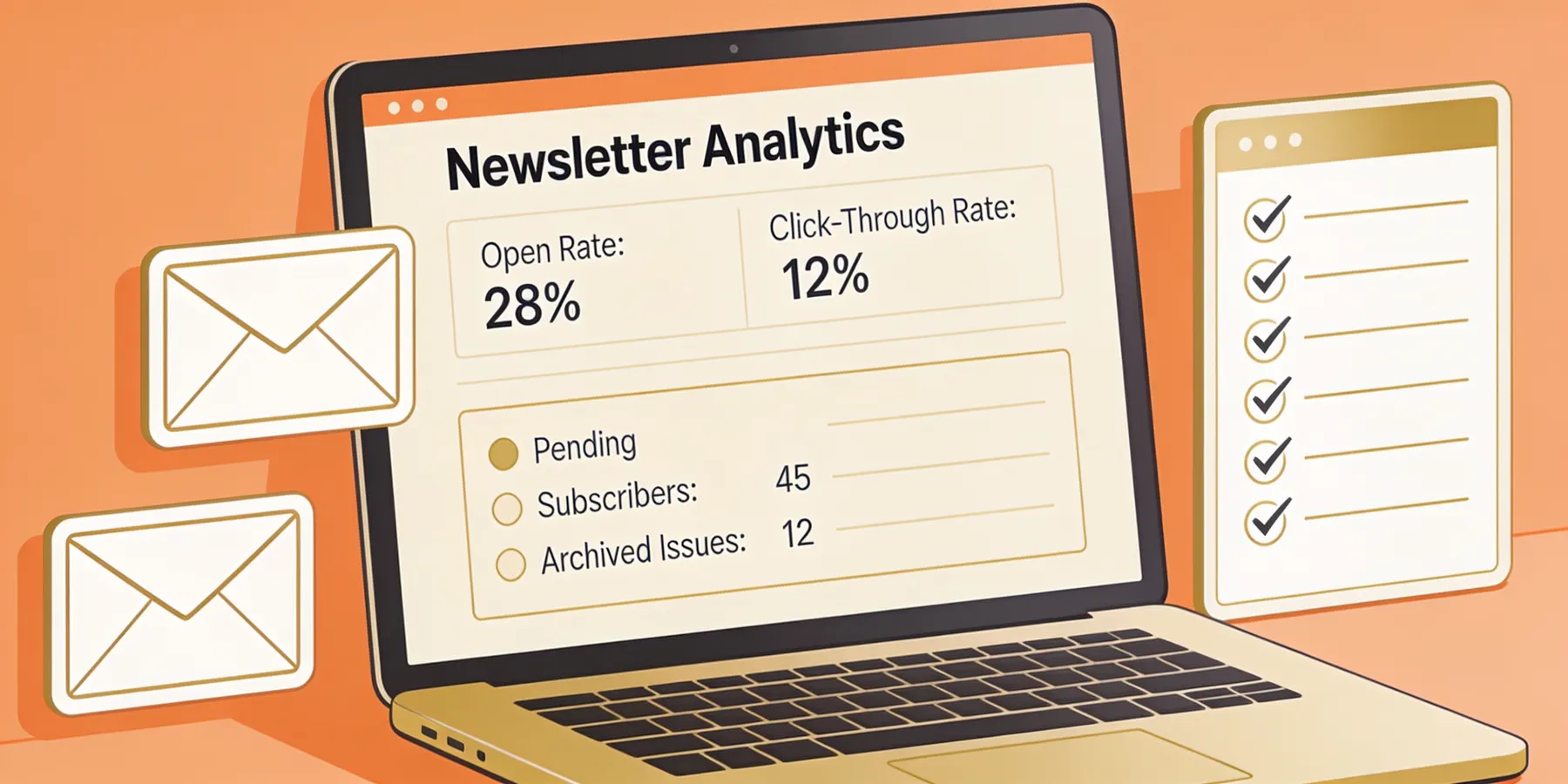
A newsletter is one of the few channels you actually own. Social platforms change their rules and bury your reach overnight, but an email list goes wherever you go. If you are starting one in 2026, the mechanics are more forgiving than they used to be, and the bar for landing in the inbox is higher. This guide walks through the whole thing in order, from deciding why you are sending at all to reading the numbers after your first send.
I have set up newsletters that worked and a few that quietly died, so I will flag the steps people skip and regret later.
Step 1: Decide what the newsletter is for
Before you touch a platform, write down two things: what you want the newsletter to do, and who it is for. These shape every later decision, including which tool you pick.
A newsletter can serve very different jobs:
- A content newsletter that builds an audience around your writing or research.
- A product or company newsletter that keeps existing users informed about updates and tips.
- A lifecycle program that emails people based on what they do inside your app (signed up, hit a milestone, went quiet). See also transactional emails triggered by an event.
- A sales nurture sequence that warms up leads over weeks.
The audience question is just as concrete. Are these strangers who found you through search, existing customers from your database, or a mix? A B2B audience reading at their desk wants something different from a consumer crowd checking email on a phone at night. If you are sending to business readers, our notes on B2B email marketing get into the specifics.
Pin the goal to something you can measure later. "Get 1,000 engaged subscribers in six months" or "lift trial-to-paid conversion by reminding new signups what to do next" both work. "Grow the brand" does not, because you will never know if you did.
One more thing worth settling now: what counts as success for a single issue. For a content newsletter it might be replies and forwards. For a product newsletter it might be feature adoption or logins after the email goes out. Writing this down stops you from later judging the whole project by a vanity number like total subscriber count, which can climb while engagement quietly collapses.
Step 2: Pick a platform
This is where most people freeze, so here is the short version. The right platform depends on your goal from step one, not on which logo you have seen most.
There are roughly three families of tools:
- Creator and content newsletter platforms (beehiiv, Substack, Buttondown). Built for writers and publishers, often with built-in growth and monetization features.
- General email marketing platforms (Mailchimp, MailerLite, Brevo, ActiveCampaign). Built for businesses that send marketing campaigns and need contact management, automation, and segmentation.
- Developer and database-driven tools (Dreamlit, plus transactional services). Built for sending email off your own application data rather than a manually managed list.
Here is a quick comparison of common starting points. Pricing moves around, so I verified these against each provider's pricing page in June 2026.
| Platform | Free tier | Entry paid plan | Best fit |
|---|---|---|---|
| MailerLite | 250 active subscribers, 2,500 emails/mo | ~$12/mo (Comfort) | Small businesses, simple campaigns |
| Mailchimp | 250 contacts, 500 emails/mo | ~$13/mo (Essentials, 500 contacts) | Businesses wanting all-in-one marketing |
| beehiiv | 2,500 subscribers | Scale from ~$49/mo (less on annual billing, and it scales with subscriber count) | Content creators, publishers |
| Buttondown | 100 subscribers | From ~$9/mo (subscriber-based, paid above 100) | Writers who want a plain, fast tool |
| Dreamlit | See pricing | See pricing | SaaS teams emailing from product data |
Entry paid plan by platform


| Item | Value |
|---|---|
| Buttondown | $9 |
| MailerLite | $10 |
| Mailchimp | $13 |
| beehiiv | $49 |
Pricing is current as of 2026 and changes often; confirm on each provider's site.
A couple of notes on that table. Mailchimp's free plan got smaller over the years and now sits at 250 contacts, which catches people off guard. beehiiv's free tier is unusually generous at 2,500 subscribers, which is why creators like it. And Dreamlit is a different animal: it connects to your Supabase or Postgres database and builds email workflows from your schema, so it fits product newsletters and lifecycle email more than a manually curated content list. Email workflows are the core use case, with no public Substack-style hosted publication, so it is not the pick if you want a standalone reader-facing newsletter site.
Free-tier subscriber limits by platform
| Item | Value |
|---|---|
| Buttondown | 100 |
| Mailchimp | 250 |
| MailerLite | 500 |
| beehiiv | 2,500 |
If you want to compare options properly before committing, we have full roundups for different needs: the best email marketing tools for small business covers the general platforms, and the best AI email marketing tools covers the newer crop that writes and builds for you. Switching platforms later is annoying but survivable, so do not over-agonize. Pick the one that matches your goal and move on.
Step 3: Set up your sending domain and authentication
This is the step people skip, and it is the one that decides whether your newsletter reaches the inbox at all.
Send from a domain you own, like [email protected], not a free Gmail or Yahoo address. Then set up three DNS records:
- SPF tells receiving servers which servers are allowed to send mail for your domain.
- DKIM adds a cryptographic signature that proves the message was not tampered with in transit.
- DMARC ties the two together and tells receivers what to do with mail that fails the checks.
This is not optional housekeeping anymore. Since February 2024, Google and Yahoo require any sender pushing more than 5,000 messages a day to those addresses to have SPF, DKIM, and a DMARC record, a one-click unsubscribe, and low spam complaints. Google recommends staying below 0.1 percent and says to avoid 0.3 percent or higher; Yahoo states complaints should stay below 0.3 percent. Non-compliant mail gets delayed and eventually rejected. Even if you are nowhere near 5,000 a day, doing this from the start means you never have to untangle a deliverability mess after your list grows.
Most platforms walk you through adding these records and will verify your domain inside their dashboard. It usually takes ten minutes plus DNS propagation time. If you want the full picture of what affects inbox placement, our email deliverability guide goes deeper than I can here. And if you are sending from a Supabase project specifically, authentication is a frequent cause of trouble, which we cover in why Supabase auth emails go to spam.
Warm up a brand-new domain gradually rather than blasting your whole list on day one. Start with your most engaged contacts and ramp volume over a couple of weeks so mailbox providers learn to trust you.
A small detail that saves headaches: consider using a subdomain like news.yourbrand.com or mail.yourbrand.com for marketing sends, kept separate from the domain you use for regular business email. If a marketing campaign ever runs into a reputation problem, it stays walled off from the email your team and customers actually depend on. Plenty of established senders do this, and it is much easier to set up at the start than to migrate to later.
Also turn on the one-click unsubscribe header (List-Unsubscribe). Most reputable platforms add it for you, but check, because Gmail and Yahoo now expect it and an honest unsubscribe link is what keeps annoyed readers from hitting the spam button instead. A spam complaint hurts your reputation far more than a clean unsubscribe ever will.
Step 4: Build your list the right way
Now you need people to send to. The only sustainable way to get them is to ask, clearly, where your audience already is.
Signup forms and where to put them
Place a signup form in the spots where someone has just decided they like you:
- Your website header or a sticky bar.
- A dedicated landing page you can link from anywhere.
- The end of blog posts and other content.
- Your social profiles and link-in-bio.
Tell people exactly what they are signing up for and how often you will email them. "Weekly notes on indie game design, every Tuesday" converts better than "Subscribe to our newsletter," because it removes the guesswork. Ask for as little as possible, usually just the email address. Every extra field costs you sign-ups.
Double opt-in
Turn on double opt-in if your platform supports it. A new subscriber gets a confirmation email and has to click a link before they join the list. You lose a slice of sign-ups to people who never confirm, and that is fine, because those were the addresses most likely to bounce or never open anything. What remains is a list of people who genuinely want to hear from you, which protects your sender reputation. Double opt-in is not a universal GDPR requirement, but it gives you stronger evidence of consent where GDPR, PECR-style rules, or your own compliance policy make proof important.
One thing to never do: buy a list or scrape addresses. It tanks your deliverability, gets you spam complaints, and can get your sending account suspended. Slow honest growth beats a big dead list every time.
Building a list from an app database
If your newsletter is really a product newsletter going to existing users, your "list" already lives in your database. You can export segments into a marketing platform, or skip the export and send directly. This is the case Dreamlit is built for: you describe what you want in plain English, it reads your Supabase or Postgres schema, and it handles the trigger logic and copy. There is no separate list to maintain because the database is the source of truth. We wrote more about that approach in thinking in database-driven notifications.
Step 5: Design and template the email
Keep the design boring in the good way. A clean, single-column layout that reads well on a phone beats a heavily designed email that breaks in half the inbox clients out there. Most people will read on mobile, so check it there first.
A reliable newsletter template has:
- A recognizable from-name and a subject line that says what is inside.
- A clear masthead or header so readers know who sent it.
- One main piece of content, or a short list of items, with plenty of whitespace.
- A visible unsubscribe link in the footer. This is required, so do not hide it.
You do not need to design from zero. Every major platform ships templates, and starting from a proven structure saves hours. We collected a set you can adapt in email marketing templates. Set up a reusable template once so every issue looks consistent without rebuilding it each week.
Write your subject lines like a person, not a billboard. The from-name and subject are the only things a reader sees before deciding to open, so they do more work than the email body.
Two practical checks before any issue goes out. First, send yourself a test and open it on a real phone, not just the desktop preview, because broken mobile layout is the most common avoidable mistake. Second, keep your image-to-text ratio sane. An email that is one giant image with almost no text often trips spam filters and shows nothing at all when a reader has images turned off. Add real text around any images, and set alt text so the email still makes sense without them.
Step 6: Plan your cadence and write the first issues
Decide how often you will send, and base it on what you can actually sustain. Weekly suits most content newsletters. Biweekly or monthly is fine for slower topics. A monthly newsletter you reliably ship will always outperform a weekly one you abandon in three weeks.
If you are sending lifecycle or product email rather than a scheduled broadcast, cadence is event-driven instead. The email fires when a user does something, like signing up or finishing onboarding. Drip sequences fall here too, where a fixed series goes out over days after a trigger. We explain how those work in understanding drip campaigns. See also transactional email than to a marketing newsletter.
The single most valuable email to get right is the first one a new subscriber receives. A good welcome email confirms they are in the right place, sets expectations, and points them at your best content. It reliably gets your highest open rate of any send, so it earns the effort. For ideas you can borrow, look at these welcome email examples.
When you write, sound like yourself. The whole appeal of a newsletter over a social feed is that it feels like it came from a human who has something to say. Write the way you would to one smart reader, not to a crowd.
Step 7: Send, then measure what happened
Hit send. Then resist the urge to refresh the stats every five minutes.
After a day or two, look at four numbers:
- Open rate, which tells you whether your subject lines and sender reputation are working.
- Click rate, which tells you whether the content earned action.
- Unsubscribe rate, a small amount is normal and healthy.
- Spam complaints, which should stay near zero. A spike here is an emergency.
Use your own first sends as the baseline and watch the trend rather than chasing a benchmark you read somewhere. Open rates vary wildly by industry, and a clean targeted list of 200 will often beat a bought list of 20,000 on every metric that matters.
Typical newsletter open-rate range
| Item | Value |
|---|---|
| Low end | 20% |
| High end | 40% |
When a number moves, ask what changed. A falling open rate often means a deliverability problem creeping in, or content that drifted away from what people signed up for. A high unsubscribe rate right after a particular issue is direct feedback about that issue. Over a few sends you will learn what your specific readers respond to, which no guide can tell you in advance.
Keep your list clean as you go. Every few months, look at subscribers who have not opened anything in a long stretch and either run a short re-engagement email or remove them. Mailbox providers watch how recipients treat your mail, and a pile of dead addresses that never open drags down placement for everyone else on your list. Pruning feels backwards when you are trying to grow, but a smaller list of people who actually read you is worth more than a big one that ignores you.
If you want a simple experiment to start with, test one variable at a time. Try two subject lines on a small split of the list and send the winner to the rest, or move your send time a few hours and watch what happens to opens. Change one thing per issue so you can tell what actually caused the result.
A realistic starting plan
If you want the condensed version: write down your goal and audience, pick one platform that matches it, authenticate your sending domain before you send anything real, put a clear signup form on your site with double opt-in, start from a template, send a welcome email automatically, and ship on a cadence you can keep. Then read your numbers and adjust.
The first newsletter you send will not be your best one. That is expected. The senders who win are the ones who keep showing up in the inbox while everyone else quits after issue three. Get the boring authentication and list-hygiene parts right early, and the creative part gets easier every week. If you are still deciding which tool fits your situation, start with the small-business email marketing roundup and narrow from there.
Frequently asked questions
How much does it cost to start a newsletter?
You can start for free. MailerLite's free plan covers up to 250 active subscribers and 2,500 emails a month, beehiiv's free Launch plan goes up to 2,500 subscribers, and Buttondown is free for your first 100. Most people only start paying once their list grows past a few hundred or thousand subscribers, and even then entry plans usually run roughly $9 to $13 a month.
Do I need my own domain to send a newsletter?
You don't strictly need one to send your first email, but you want one before you grow. Sending from a domain you own (like [email protected]) lets you set up SPF, DKIM, and DMARC, which is what keeps you out of spam. A free Gmail or Yahoo address can't be authenticated this way and looks less trustworthy to readers.
What is double opt-in and should I use it?
Double opt-in means a new subscriber confirms their email by clicking a link in a confirmation message before they get added to your list. It costs you a few sign-ups but every remaining address is real and engaged, which protects your deliverability. For most newsletters it is worth turning on, especially where you need stronger evidence of consent under GDPR or PECR-style rules.
How often should I send my newsletter?
Pick a cadence you can keep without burning out. Weekly works well for most content newsletters, biweekly or monthly is fine for slower topics, and product or transactional emails fire when an event happens rather than on a calendar. Consistency matters more than frequency, so a monthly newsletter you always send beats a weekly one you abandon after a month.
What is a good open rate for a newsletter?
It depends on your industry and list quality, but many senders see open rates somewhere in the 20 to 40 percent range once their list is clean and well-targeted. Treat your own first few sends as the baseline and watch the trend rather than chasing a single benchmark number. A sudden drop usually points to a deliverability or relevance problem worth investigating.
Can I create a newsletter from my app's user database?
Yes, and this is a common case for SaaS products that want to email signed-up users rather than a general marketing list. You can export segments from your database into a marketing platform, or use a tool like Dreamlit that connects directly to your Supabase or Postgres database and builds the email logic from your schema. The right path depends on whether you are sending broadcasts, lifecycle emails, or both.
Do I need to follow Gmail and Yahoo's sender rules?
If you send more than 5,000 emails a day to Gmail or Yahoo addresses, yes. Since February 2024 those providers require SPF, DKIM, and a DMARC record, plus a working one-click unsubscribe and a low spam-complaint rate. Google recommends staying below 0.1% and says to avoid 0.3% or higher; Yahoo also states below 0.3%. Even under 5,000 a day, following these rules is the baseline for landing in the inbox, so set them up from the start.
How do I grow my newsletter list?
Put a clear signup form where your audience already is: your website header, a dedicated landing page, the end of blog posts, and your social profiles. Give people a concrete reason to subscribe, run double opt-in to keep the list clean, and send a welcome email immediately so new subscribers know what they signed up for. Buying or scraping lists does the opposite of growth and will wreck your deliverability. Sources:
- https://www.mailerlite.com/pricing
- https://mailchimp.com/pricing/marketing/
- https://mailchimp.com/help/about-mailchimp-pricing-plans/
- https://www.beehiiv.com/pricing
- https://buttondown.com/pricing
- https://ico.org.uk/for-organisations/direct-marketing-and-privacy-and-electronic-communications/guide-to-pecr/electronic-and-telephone-marketing/electronic-mail-marketing/
- https://support.google.com/mail/answer/81126
- https://senders.yahooinc.com/best-practices/
About the Author
Co-Founder & CTO
Andrew is CTO and Co-Founder of Dreamlit AI. After building integrations at Netflix and leading engineering at fintech startup Bonside, he's now building the notification platform he wished he'd had all along. Full bio →
Other articles
Best Email Marketing for Small Business in 2026: A Practical Buyer's Guide
A practical 2026 guide to the best email marketing tools for small business, sorted by budget, list size, technical skill, and business type.

6 Ways to Reduce Your Email Bounce Rate (and Keep Hitting the Inbox)
Hard bounces don't just hurt one campaign. They burn the domain your whole business emails from. Six fixes stop them, from your signup form to your first big send.