Why We Built a Free, Open-Source Lovable Cloud to Supabase Exporter
Lovable Cloud users kept asking us how to get direct access to their database. So we built a free, open-source Lovable Cloud to Supabase Exporter that moves your backend to your own Supabase.

Andrew Kim
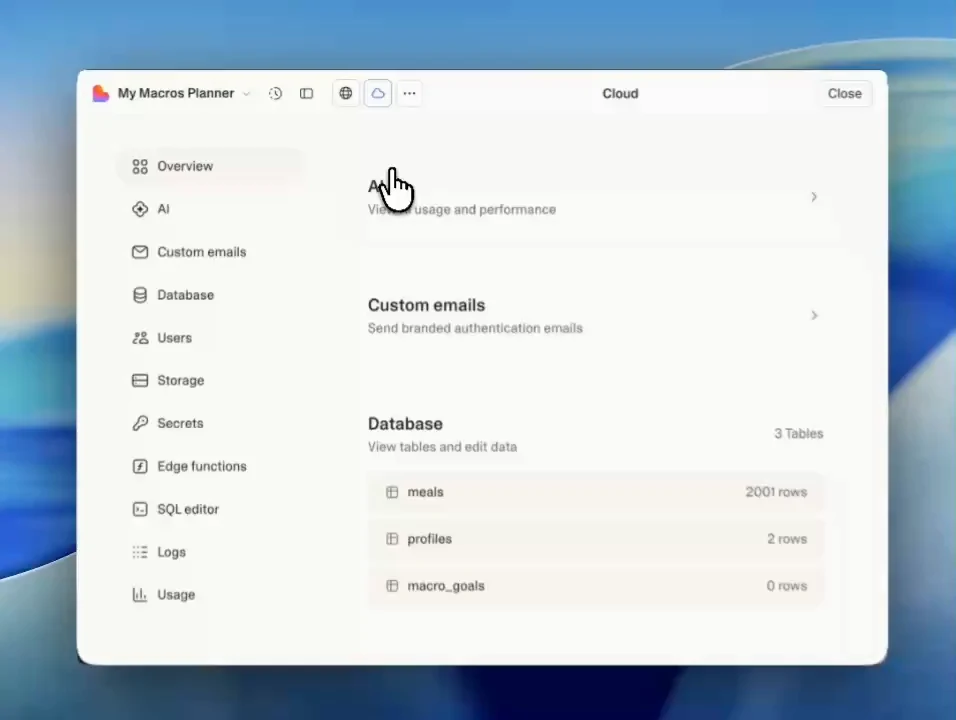
Lovable is one of the best tools out there for going from idea to working app fast. We're fans. A lot of our Dreamlit users build on it.
But over the past few months, we kept hearing the same thing: "I need direct access to my database." Someone wants to connect Zapier, or set up email automations, or plug in analytics that talk directly to Postgres. They can't, because Lovable Cloud manages the Supabase instance for you. You don't get the keys.
The official path to fixing this is rough. You're exporting tables as CSV one at a time, re-uploading storage files individually, and asking every user to reset their password. If you have real users, that last part is basically a non-starter.
We kept walking people through this manually. Same messages, same gotchas, same "wait, what order do I import these tables in?" At some point we just said: we should build this.
We work with Supabase internals every day. We knew native Postgres tooling (pg_dump and psql) could handle the whole thing cleanly. So we built the Lovable Cloud to Supabase Exporter and open sourced the CLI and migration runtime.
Plug in your credentials, hit export
You point it at your Lovable Cloud project and a fresh Supabase project. One click. It moves your data tables, user accounts with auth intact (no password resets), and storage files. The whole thing runs through a temporary Cloudflare container that spins up just for your migration and gets destroyed after. Credentials and migration data aren't retained once the job finishes, and if you'd rather nothing pass through our infrastructure at all, you can run the open-source CLI locally.
Your data is now in a Supabase project you own.
You don't have to leave Lovable
Here's the part that surprises people.
Once your backend is in your own Supabase, you can bring it right back into a new Lovable project. Keep building the same way you always have. The only difference is your data lives in infrastructure you control.
That means direct database access for connecting tools like Zapier, Make, or Dreamlit. Portability if you ever want it. And if you decide to develop with Claude Code, Cursor, or something else, that door is open too. But it doesn't have to be. Plenty of people export their data and keep building happily in Lovable.
The tool gives you options. What you do with them is up to you.
Lovable Cloud vs your own Supabase: what actually changes
Under the hood, they're the same technology. Lovable Cloud manages a Supabase project on your behalf; the difference is who holds the keys.
- On Lovable Cloud: building stays simple, and Lovable manages the project. You can view data and run SQL inside Lovable, but there's no raw connection string to hand to external tools that need one.
- On your own Supabase: the same underlying stack in a project you hold the keys to. A real connection string, backup settings you manage, and any tool that speaks Postgres.
Because it's Supabase on both sides, the exporter copies your data, auth records, and storage files without changing your app's data model. That's what makes it possible to connect the result to a new Lovable project and keep building.
Under the hood
No custom migration format. No intermediary API. It's pg_dump to extract, psql to load. The way database engineers have been moving data between Postgres instances for years.
The exporter handles the parts that make Supabase-to-Supabase specifically tricky: auth tables, storage buckets, RLS policies, and the dependency ordering between tables. It wraps that complexity so you don't have to think about it.
The migration engine is open source. The Lovable Cloud to Supabase Exporter on dreamlit.ai is Dreamlit's hosted web app, and it invokes the same CLI and migration runtime mechanics from the repo. Run the CLI locally, read the source, fork the runtime. We also recommend rotating any secrets you provide after the migration, just to be safe.
Why we open sourced it
We could have kept this as a Dreamlit feature. But the problem affects more people than just our users. Anyone on Lovable Cloud who wants to connect an external service needs their data in a Supabase instance they control.
We built Dreamlit around a simple idea: your database is the source of truth, and builders should own it and pick their tools. Open sourcing this exporter is that same idea, applied to a problem that needed solving.
Get started
Want convenience? Use the Lovable Cloud to Supabase Exporter. No setup needed.
Want to run it yourself? The CLI and migration runtime are on GitHub. The hosted web app runs on Dreamlit.
After the export, the repo includes a guide walking through four paths forward: staying on Lovable with your own Supabase, developing locally while deploying through Lovable, hosting elsewhere, or going fully self-managed.
If you found this useful, give us a shout on X, r/dreamlitai, or drop a star on the GitHub repo.
Questions? We're happy to help.
Frequently asked questions
Can I still use Lovable after exporting my data?
Yes. Once your data is in your own Supabase, you can connect that Supabase project to a new Lovable project and keep building exactly the way you have been. The only difference is your data lives in infrastructure you control.
Does the exporter require users to reset their passwords?
No. The exporter migrates user accounts with auth intact, so your users don't need to reset passwords or re-verify their email addresses.
How does the Lovable Cloud to Supabase Exporter work under the hood?
It uses native Postgres tooling (pg_dump and psql) to move data between Supabase instances. The exporter handles auth tables, storage buckets, row-level security (RLS) policies, and table dependency ordering automatically.
Is the Lovable Cloud to Supabase Exporter free?
Yes. The hosted web app is free to use on dreamlit.ai. The CLI and migration runtime are open source, and you can run them locally from the GitHub repo.
What does the exporter move from Lovable Cloud?
It moves your data tables, user accounts (with authentication intact), and storage files to your own Supabase project.
What is the difference between Lovable Cloud and Supabase?
Lovable Cloud is a managed backend built on Supabase: Lovable runs the project for you, so there's no raw connection string for external tools. Your own Supabase project is the same technology with you holding the keys: a real connection string, backup settings you manage, and any external tool you want to connect. The exporter copies your data, users, and storage files from one to the other.
Does Lovable Cloud give you direct database access?
Lovable Cloud includes database views and an SQL editor inside Lovable, but its docs don't provide a raw Postgres connection string for external clients. Exporting to your own Supabase project is how you get one, and you can keep building in Lovable afterward.
About the Author
Co-Founder & CTO
Andrew is CTO and Co-Founder of Dreamlit AI. After building integrations at Netflix and leading engineering at fintech startup Bonside, he's now building the notification platform he wished he'd had all along. Full bio →
Other articles

4 Email Flows Your Lovable App Needs Before Going Live
A guide to auth emails, transactional emails, email blasts, and recurring emails in Lovable.
How to Make Your Vibe-Coded App Feel Like a Real Product
Your app works. But without welcome emails, reminders, and re-engagement, it doesn't feel like a real product. Here's how to add them without cluttering your code.