> ## Documentation Index
> Fetch the complete documentation index at: https://notikaai.mintlify.site/llms.txt
> Use this file to discover all available pages before exploring further.
# Publishing workflows
> Activate your workflow to start sending notifications.
Once you're ready to publish your draft of your workflow, you can click the **Publish** button in the top right of the screen.
You should see a confirmation dialog like this:
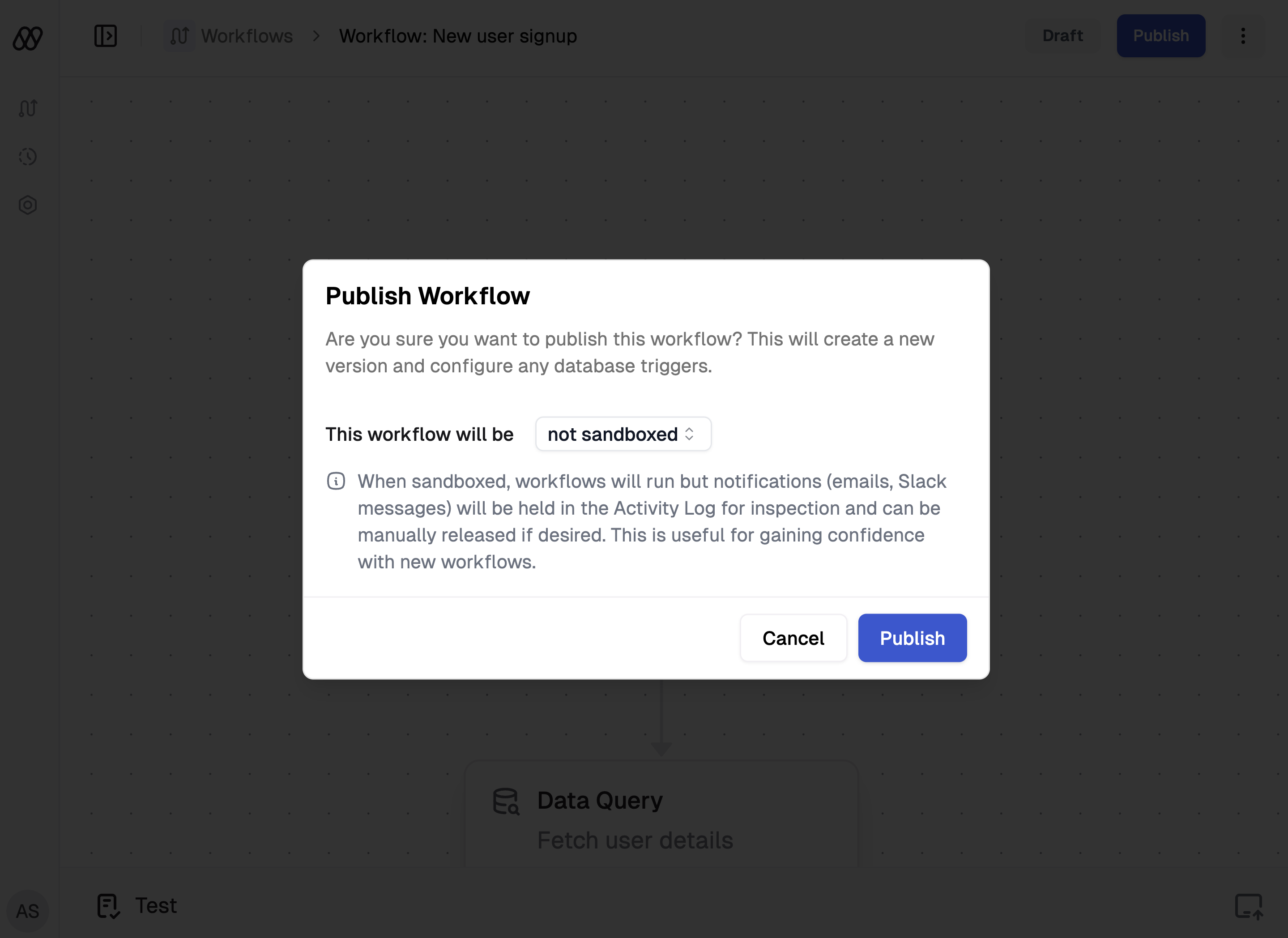 Clicking **Publish** will turn on your workflow. Any necessary triggers will be installed at this time.
To prevent any unintended side effects, any currently inflight workflow runs will continue
to run in the version of the workflow that it started from.
For instance, if there is a workflow run currently in the middle of a wait step, and you publish a new version of the workflow
which removes that wait step along with its descendants, only future workflow runs will be affected. The currently executing
run will continue to run in the previous version of the workflow.
## Sandboxing a workflow
When you publish a workflow, you'll have the option of publishing it in sandbox mode. This means that your workflow will be activated
and will kick off runs, but it will not automatically release any notifications.
Instead, these notifications will be held for manual review and optional release. See [Inspecting inflight workflows](/docs/workflow/inspecting-inflight-workflows) for more information.
## Workflow settings
Selecting the button in the top right of the screen will open
up the settings panel. Here you can:
* Switch sandbox mode on or off.
* Unpublish a workflow, which will turn off the workflow and remove any triggers.
Clicking **Publish** will turn on your workflow. Any necessary triggers will be installed at this time.
To prevent any unintended side effects, any currently inflight workflow runs will continue
to run in the version of the workflow that it started from.
For instance, if there is a workflow run currently in the middle of a wait step, and you publish a new version of the workflow
which removes that wait step along with its descendants, only future workflow runs will be affected. The currently executing
run will continue to run in the previous version of the workflow.
## Sandboxing a workflow
When you publish a workflow, you'll have the option of publishing it in sandbox mode. This means that your workflow will be activated
and will kick off runs, but it will not automatically release any notifications.
Instead, these notifications will be held for manual review and optional release. See [Inspecting inflight workflows](/docs/workflow/inspecting-inflight-workflows) for more information.
## Workflow settings
Selecting the button in the top right of the screen will open
up the settings panel. Here you can:
* Switch sandbox mode on or off.
* Unpublish a workflow, which will turn off the workflow and remove any triggers.